Tutorial M02 002 GIS Inputs QGIS: Difference between revisions
Jump to navigation
Jump to search
Content deleted Content added
| Line 17: | Line 17: | ||
<li>Tick the 'Regions' Geometry Type and hit 'OK'. The 2d_zsh file appears in the Layers panel. |
<li>Tick the 'Regions' Geometry Type and hit 'OK'. The 2d_zsh file appears in the Layers panel. |
||
<li>Zoom to the area just upstream of the north road crest.<br> |
<li>Zoom to the area just upstream of the north road crest.<br> |
||
<li>Right click on the |
<li>Right click on the '''2d_zsh_M02_fill_002_R''' to toggle on Editing and select 'Add Polygon Feature'. |
||
<li>Digitise a polygon similar to below, use the right mouse button to terminate the polygon and an attributes dialog displays. Enter the following data: <br> |
<li>Digitise a polygon similar to below, use the right mouse button to terminate the polygon and an attributes dialog displays. Enter the following data: <br> |
||
:*Z = 45 |
:*Z = 45 |
||
| Line 41: | Line 41: | ||
<li>In the Run ID box write 'M02_merge_002'. |
<li>In the Run ID box write 'M02_merge_002'. |
||
<li>Tick the 'Regions' Geometry Type and hit 'OK'. The 2d_zsh file appears in the Layers panel. Zoom to the east side of the model. <br> |
<li>Tick the 'Regions' Geometry Type and hit 'OK'. The 2d_zsh file appears in the Layers panel. Zoom to the east side of the model. <br> |
||
<li>Right click on the |
<li>Right click on the '''2d_zsh_M02_merge_002_R''' and toggle on Editing. |
||
<li>Select 'Add Polygon Feature'. |
<li>Select 'Add Polygon Feature'. |
||
<li>Digitise a polygon around the depression in the DEM. <br> |
<li>Digitise a polygon around the depression in the DEM. <br> |
||
| Line 58: | Line 58: | ||
<li>Tick the 'Regions' Geometry Type and hit 'OK'. The 2d_zsh file appears in the layers panel. |
<li>Tick the 'Regions' Geometry Type and hit 'OK'. The 2d_zsh file appears in the layers panel. |
||
<li>Zoom to the channel where it meets the north road embankment. <br> |
<li>Zoom to the channel where it meets the north road embankment. <br> |
||
<li>Right click on the |
<li>Right click on the '''2d_zsh_M02_cut_002_R''' to toggle on Editing and select 'Add Polygon Feature'. |
||
<li>Digitise a polygon similar to below, terminate the region and enter the following data in the attributes dialog: <br> |
<li>Digitise a polygon similar to below, terminate the region and enter the following data in the attributes dialog: <br> |
||
:*Shape_Width = -1<br> |
:*Shape_Width = -1<br> |
||
Revision as of 11:22, 27 April 2023
Introduction
QGIS is used to create, import and view input data.
Method
Navigate to the Module_02\Tutorial_Data folder. Copy and save all the below layers into the Module_02\TUFLOW\model\gis folder:
- 2d_zsh_M02_landscape_002_L
- 2d_zsh_M02_landscape_002_P
- 2d_zsh_M02_landscape_002_R
- 2d_mat_M02_landscape_002_R
Create two polygons, one raises the elevation to a set height and another raises the elevation by a set amount.
- Click on the ‘Import Empty File’ symbol from the TUFLOW Plugin toolbar.
- Select '2d_zsh' from the Empty Type list.
- In the Run ID box write 'M02_fill_002'.
- Tick the 'Regions' Geometry Type and hit 'OK'. The 2d_zsh file appears in the Layers panel.
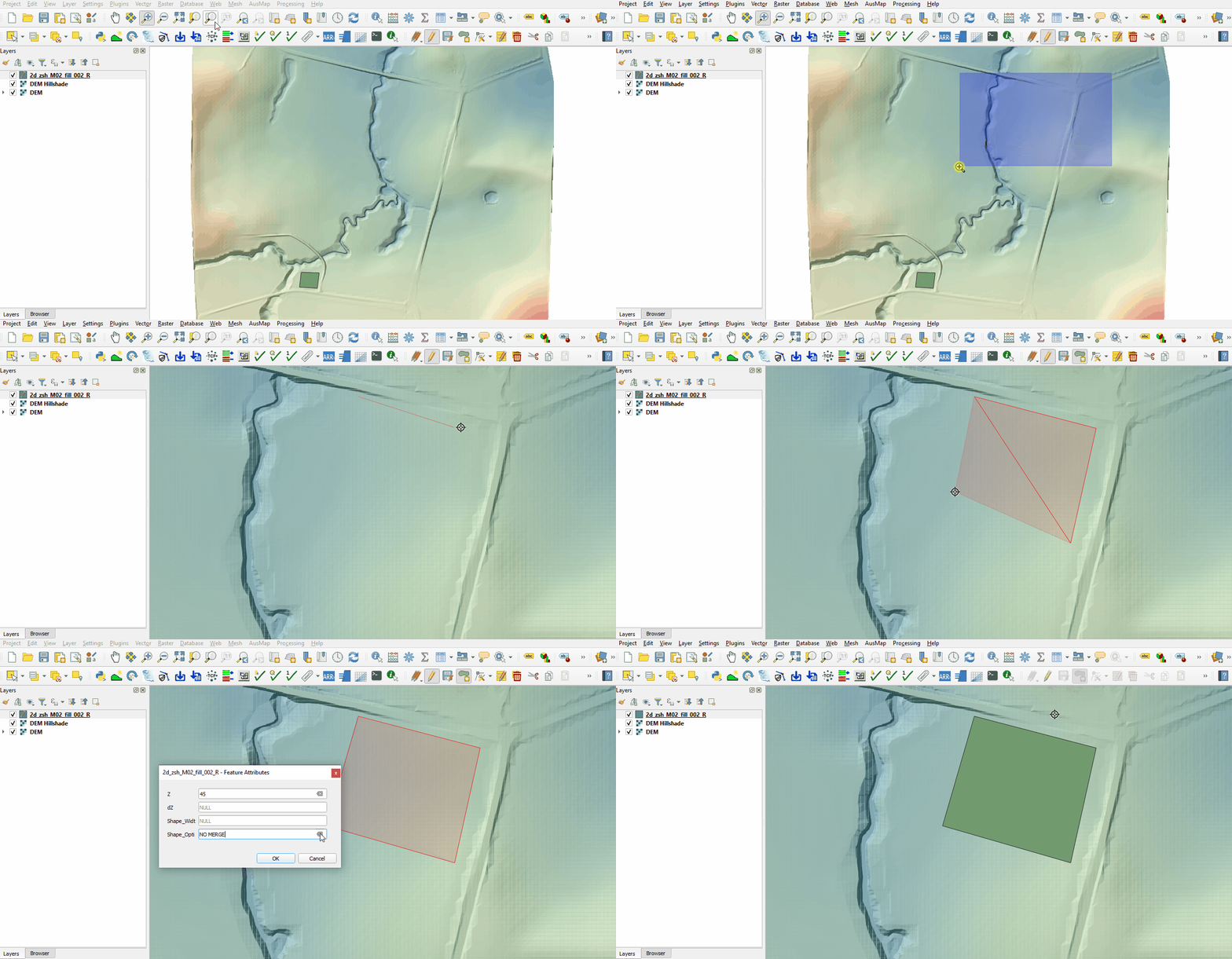
- Zoom to the area just upstream of the north road crest.
- Right click on the 2d_zsh_M02_fill_002_R to toggle on Editing and select 'Add Polygon Feature'.
- Digitise a polygon similar to below, use the right mouse button to terminate the polygon and an attributes dialog displays. Enter the following data:
- Z = 45
- Shape_Option = NO MERGE (assigns a single elevation to all Zpts falling within the polygon without interpolating the edges to the original topography)
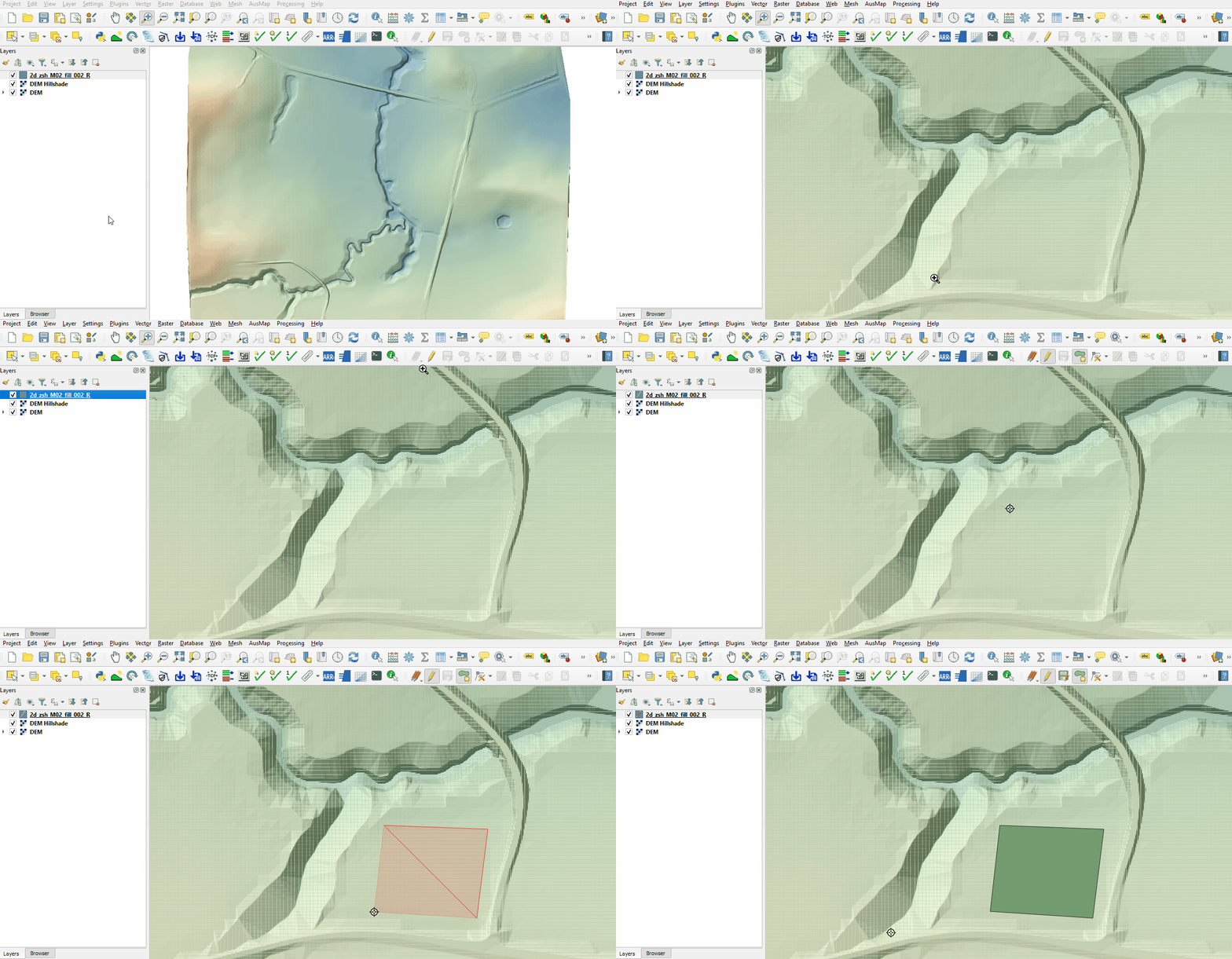
- Zoom to the south west corner of the grid to digitise the second polygon.
- Select 'Add Polygon Feature'.
- Digitise a polygon similar to below, use the right mouse button to terminate the polygon and an attributes dialog displays. Enter the following data:
- Z = 1
- Shape_Opti = ADD (adds the specified ‘Z’ value to all existing Zpts within the polygon, it raises the area within the polygon, but maintains the natural slope of the land)
- Turn off editing to save the edits.


Create a polygon to rehabilitate the farm dam on the east side of the model, e.g. fill the farm dam to a surrounding level.
- Click on the ‘Import Empty File’ symbol from the TUFLOW Plugin toolbar.
- Select '2d_zsh' from the Empty Type list.
- In the Run ID box write 'M02_merge_002'.
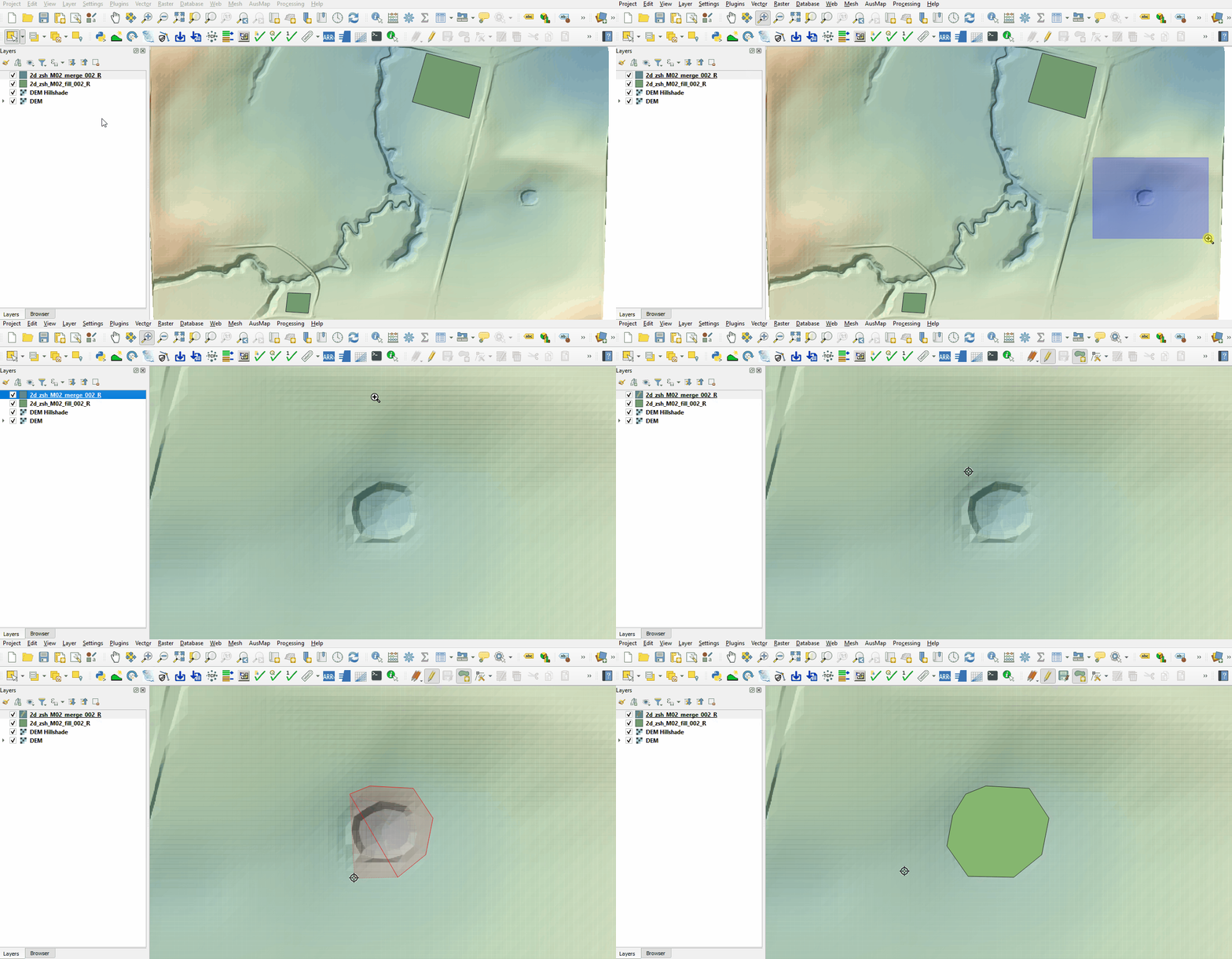
- Tick the 'Regions' Geometry Type and hit 'OK'. The 2d_zsh file appears in the Layers panel. Zoom to the east side of the model.
- Right click on the 2d_zsh_M02_merge_002_R and toggle on Editing.
- Select 'Add Polygon Feature'.
- Digitise a polygon around the depression in the DEM.
- Use the right mouse button to terminate the polygon and an attributes dialog displays. Click 'OK' with no attribute information input. By default TUFLOW uses the merge option, this samples the DEM elevation at the polygon vertices and along the perimeter of the region with maximum spacing of half the cell size.
- Turn off editing to save the edits.

Create a polygon to represent a cut through the north road embankment allowing water to pass through while maintaining the channel topography.
- Click on the ‘Import Empty File’ symbol from the TUFLOW Plugin toolbar.
- Select '2d_zsh' from the Empty Type list.
- In the Run ID box write 'M02_cut_002'.
- Tick the 'Regions' Geometry Type and hit 'OK'. The 2d_zsh file appears in the layers panel.
- Zoom to the channel where it meets the north road embankment.
- Right click on the 2d_zsh_M02_cut_002_R to toggle on Editing and select 'Add Polygon Feature'.
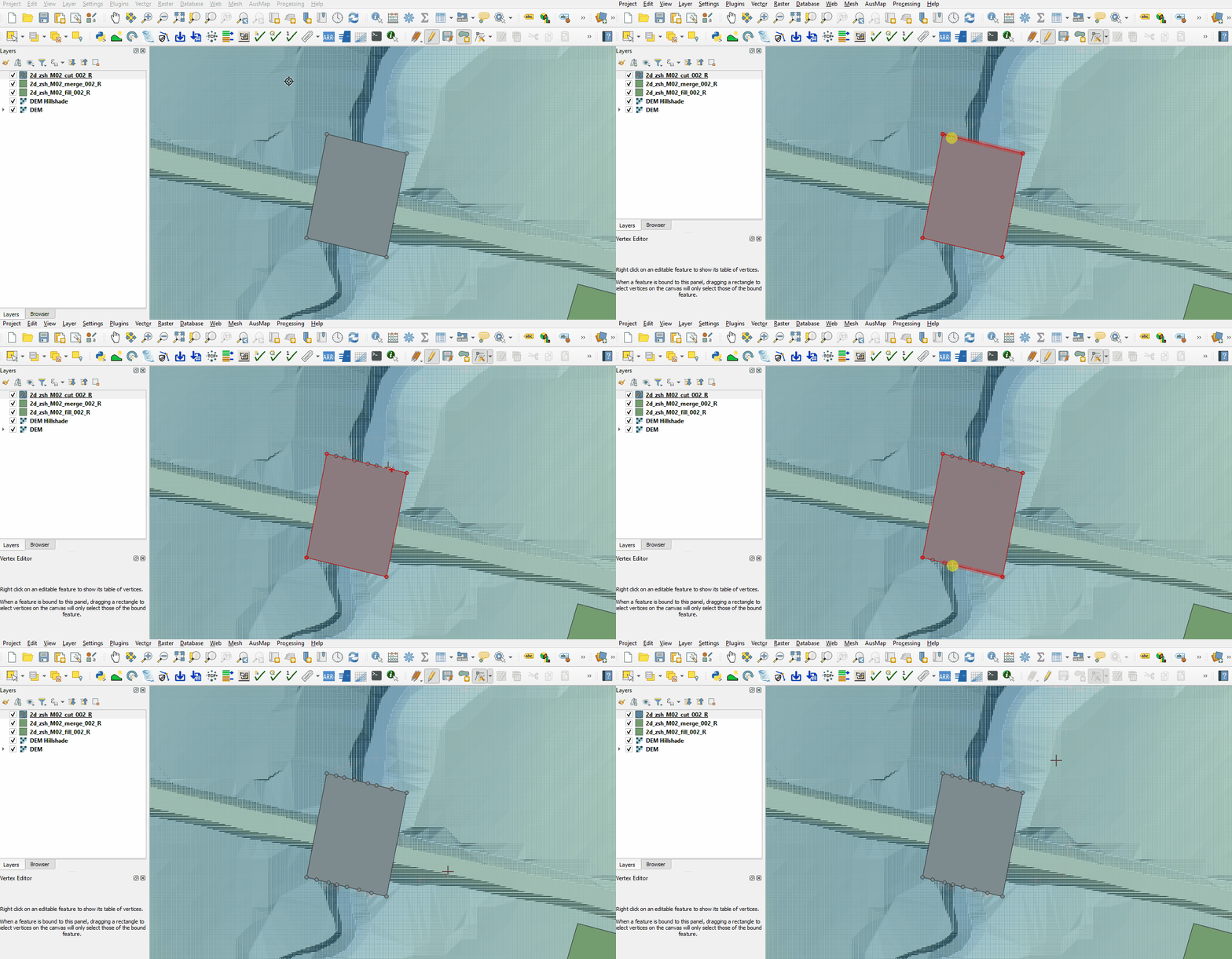
- Digitise a polygon similar to below, terminate the region and enter the following data in the attributes dialog:
- Shape_Width = -1
- Shape_Width = -1
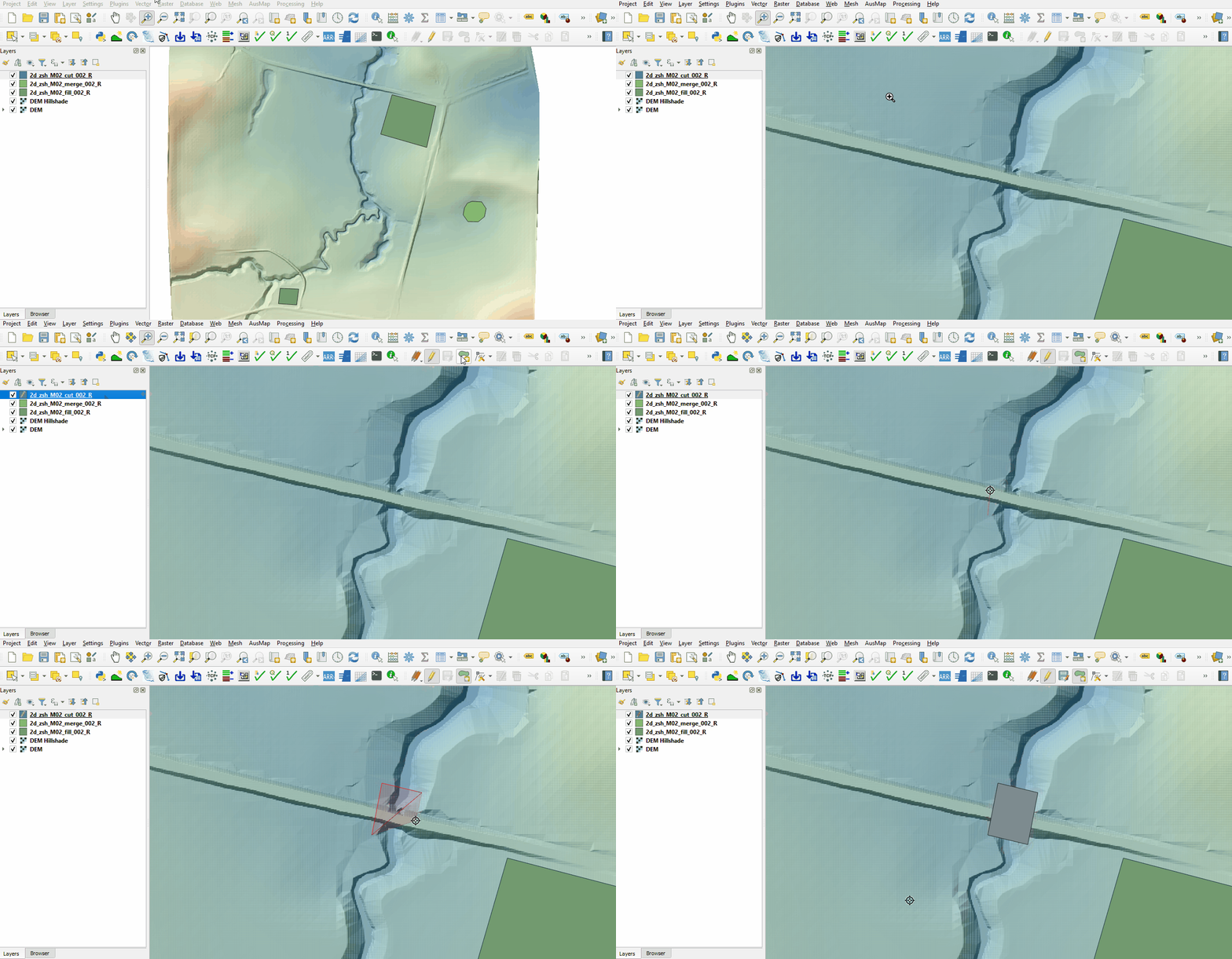
- Add more vertices by holding Shift and double click along the upstream and downstream sides of the polygon. By default TUFLOW uses the merge option and the negative Shape_Width instructs TUFLOW to sample the DEM elevation only at the location of the polygon vertices.
- Turn off editing to save the edits.


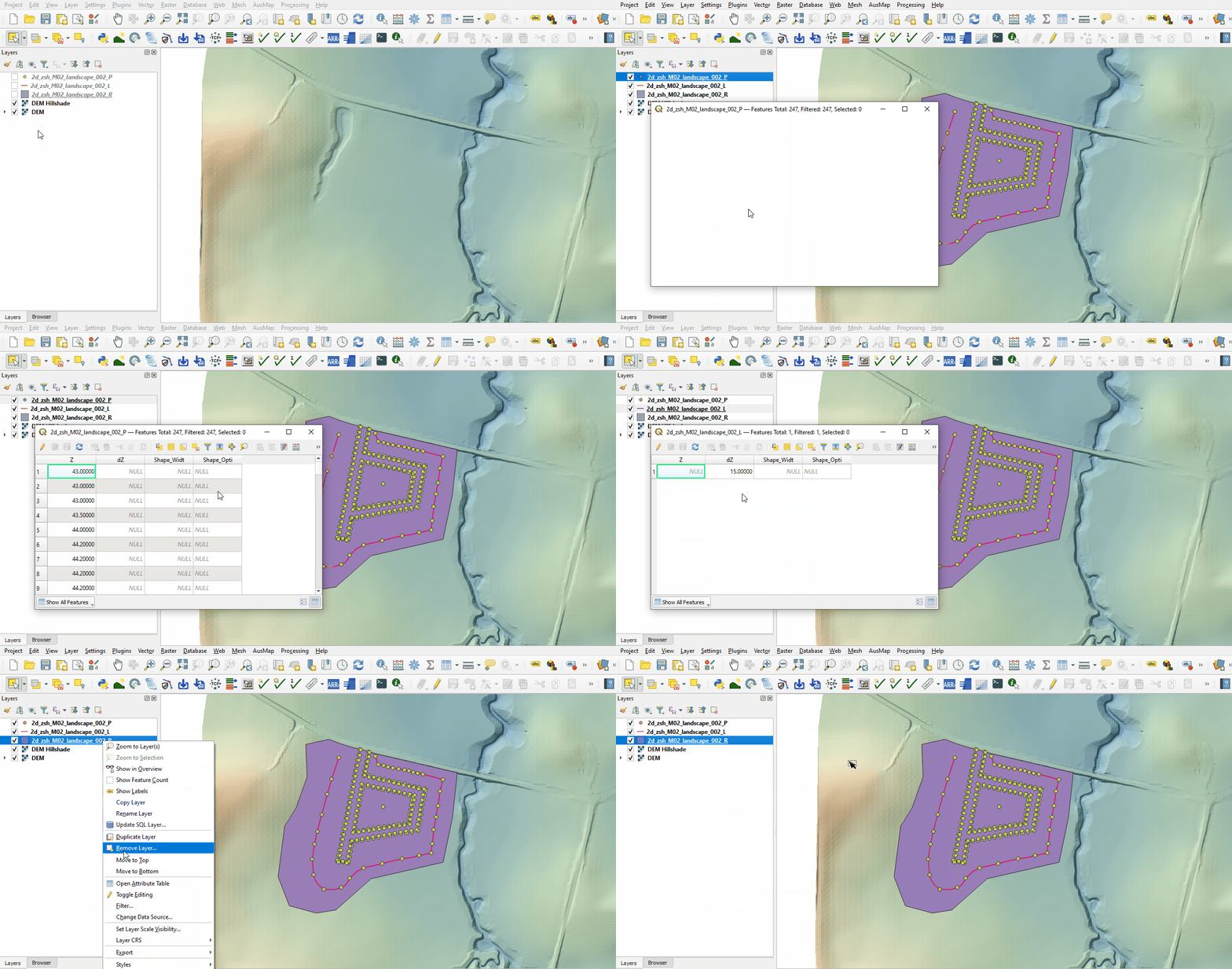
Investigate the supplied 2d_zsh_M02_landscape_002 files with TIN functionality:
- Open the files, either:
- Drag and drop all .shp files into the QGIS workspace, or
- Select Layer > Add layer > Add Vector Layer and navigate to the Module_02\TUFLOW\model\gis folder.
- The point layer specifies the elevation with the ‘Z’ attribute. Some of the point are snapped to the line layer setting the elevations along the line.
- The line layer assists in the TIN process. The 'dZ' attribute specifies a sampling distance for the TIN triangles, intermediate sampling points are created at the line vertices and along the line at 'dZ' intervals.
- The region layer sets the area over which the TIN functionality takes place. Without points snapped to the perimeter vertices of the region, the elevations are inserted from the underlying Zpt elevations, it uses the default merge option.

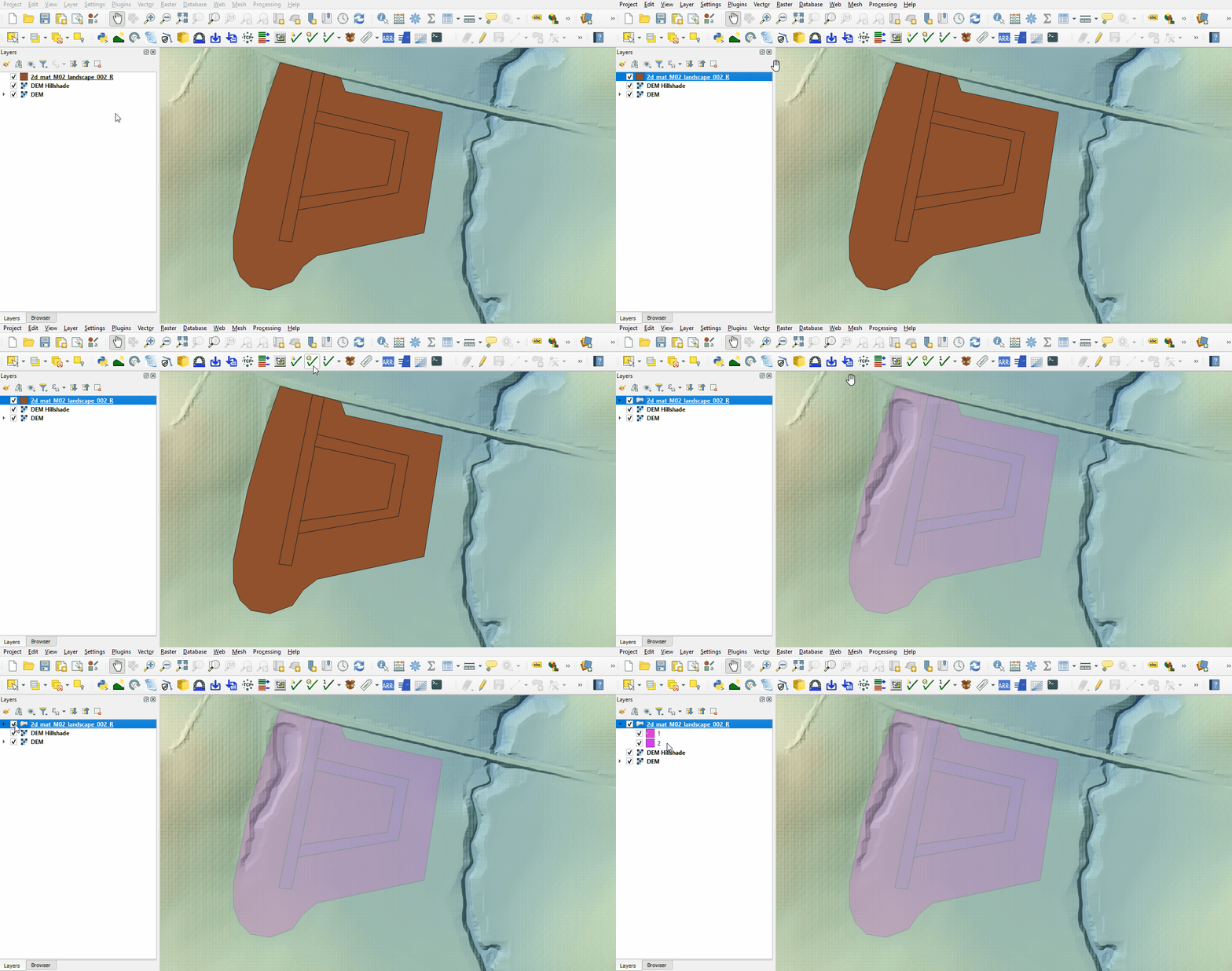
Investigate the supplied materials file:
- Load into QGIS the 2d_mat_M02_landscape_002_R file by, either:
- Drag and drop the .shp file into the QGIS workspace, or
- Select Layer > Add layer > Add Vector Layer and navigate to the Module_02\TUFLOW\model\gis folder.
- Inspect the file:
- The materials file contains polygons that represent the updated land use due to the topography modifications.
- The material attribute associated with each polygon is an integer value based on the underlying land use type.

Conclusion
- Three 2d_zsh layers were created to add development sites to the model with different purpose.
- Complex development site with TIN functionality was supplied and inspected.
- The 2d_mat layer was reviewed defining the spatial extents for new land use categories.
| Up |
|---|
 Back to Module 2 Main Page Back to Module 2 Main Page
|