Tutorial M07 Check Files QGIS GPKG: Difference between revisions
Jump to navigation
Jump to search
Content deleted Content added
| Line 12: | Line 12: | ||
Review the check files: |
Review the check files: |
||
<ol> |
<ol> |
||
<li>Open the |
<li>Open the file, either: |
||
<ol><li>In File Explorer, navigate to the '''Module_07\TUFLOW\check''' folder, drag and drop the '''M07_5m_001_Check.gpkg''' into the QGIS workspace and select '''M07_5m_001_grd_check_R''', or |
<ol><li>In File Explorer, navigate to the '''Module_07\TUFLOW\check''' folder, drag and drop the '''M07_5m_001_Check.gpkg''' into the QGIS workspace and select '''M07_5m_001_grd_check_R''', or |
||
<li>Within the QGIS Browser Panel, navigate to '''Module_07\TUFLOW\check\M07_5m_001_Check.gpkg''' and double click on the layer to open them.</ol> |
<li>Within the QGIS Browser Panel, navigate to '''Module_07\TUFLOW\check\M07_5m_001_Check.gpkg''' and double click on the layer to open them.</ol> |
||
Revision as of 11:03, 15 June 2023
Page Under Construction
Introduction
QGIS is used to import the check files and review the quadtree nesting.
Method
This tutorial introduces:
Review the check files:
- Open the file, either:
- In File Explorer, navigate to the Module_07\TUFLOW\check folder, drag and drop the M07_5m_001_Check.gpkg into the QGIS workspace and select M07_5m_001_grd_check_R, or
- Within the QGIS Browser Panel, navigate to Module_07\TUFLOW\check\M07_5m_001_Check.gpkg and double click on the layer to open them.
- Use the 'Apply TUFLOW Styles to Open Layers'.
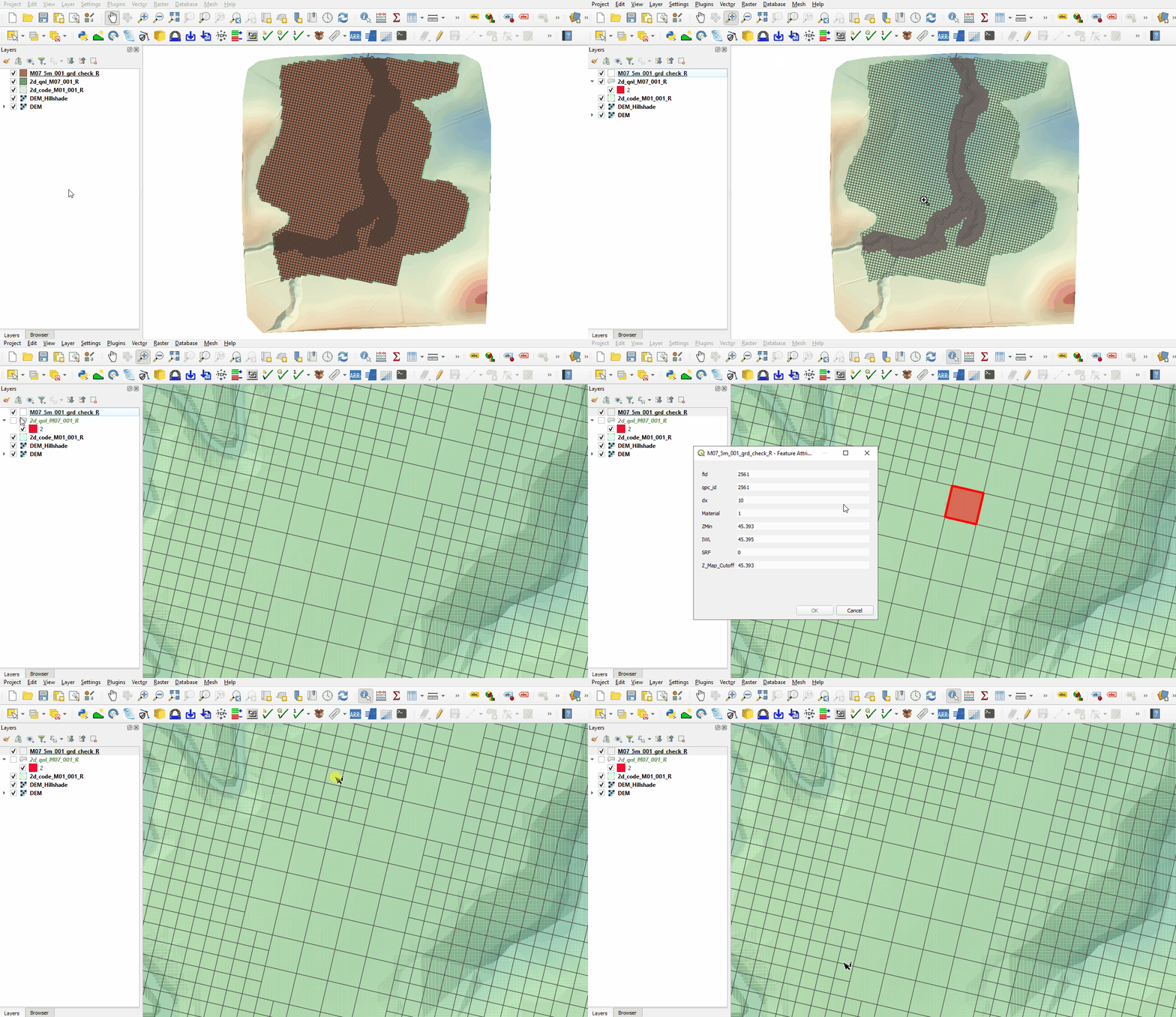
- The grd_check is the 2D grid defined by the 2d_code and 2d_qnl layers, it contains a region object for each cell. It is useful to understand how the model is orientated, the cell size in relation to the hydraulic features and where certain calculations occur in the model. In this tutorial, the level 1 grid cell size is 10m, the level 2 grid cell size is 5m.

Conclusion
- The grd_check file was imported to display the quadtree nesting.
| Up |
|---|
 Back to Module 7 Main Page Back to Module 7 Main Page
|