Tutorial M11 001 Results QGIS: Difference between revisions
Jump to navigation
Jump to search
Content deleted Content added
| Line 20: | Line 20: | ||
<li>Use the Plot Time Series tool to see the time series of the flow at the reporting location and open channel PLOT_L line. The reporting location shows the total flow across the line in both the 1D and 2D. The open channel line shows flow only though the 1D. <br> |
<li>Use the Plot Time Series tool to see the time series of the flow at the reporting location and open channel PLOT_L line. The reporting location shows the total flow across the line in both the 1D and 2D. The open channel line shows flow only though the 1D. <br> |
||
<br> |
<br> |
||
[[File: |
[[File:Animation_M11_001_Results_03b.gif]]<br> |
||
<br> |
<br> |
||
<li>Use the Plot Time Series tool to see the time series of the water level at the reporting location point. When snapped to 1D channel start/end, it shows the 1D water level. Not snapped it would show the 2D water level.<br> |
<li>Use the Plot Time Series tool to see the time series of the water level at the reporting location point. When snapped to 1D channel start/end, it shows the 1D water level. Not snapped it would show the 2D water level.<br> |
||
<br> |
<br> |
||
[[File: |
[[File:Animation_M11_001_Results_04b.gif]]<br> |
||
<br> |
<br> |
||
</ol><br> |
</ol><br> |
||
Revision as of 15:25, 27 April 2023
Introduction
QGIS is used to view the water level in the 1D network, moving between the 1D and 2D and in the 2D floodplain. For viewing of the 2D map results, see Module 1.
Method
Inspect water level and velocity outputs:
- Open the TUFLOW Viewer.
- Select File > Load Results. Navigate to the M11_5m_001.tcf in the Module_11\TUFLOW\runs folder and open it.
- When prompted to open result GIS layer, select 'Yes'.
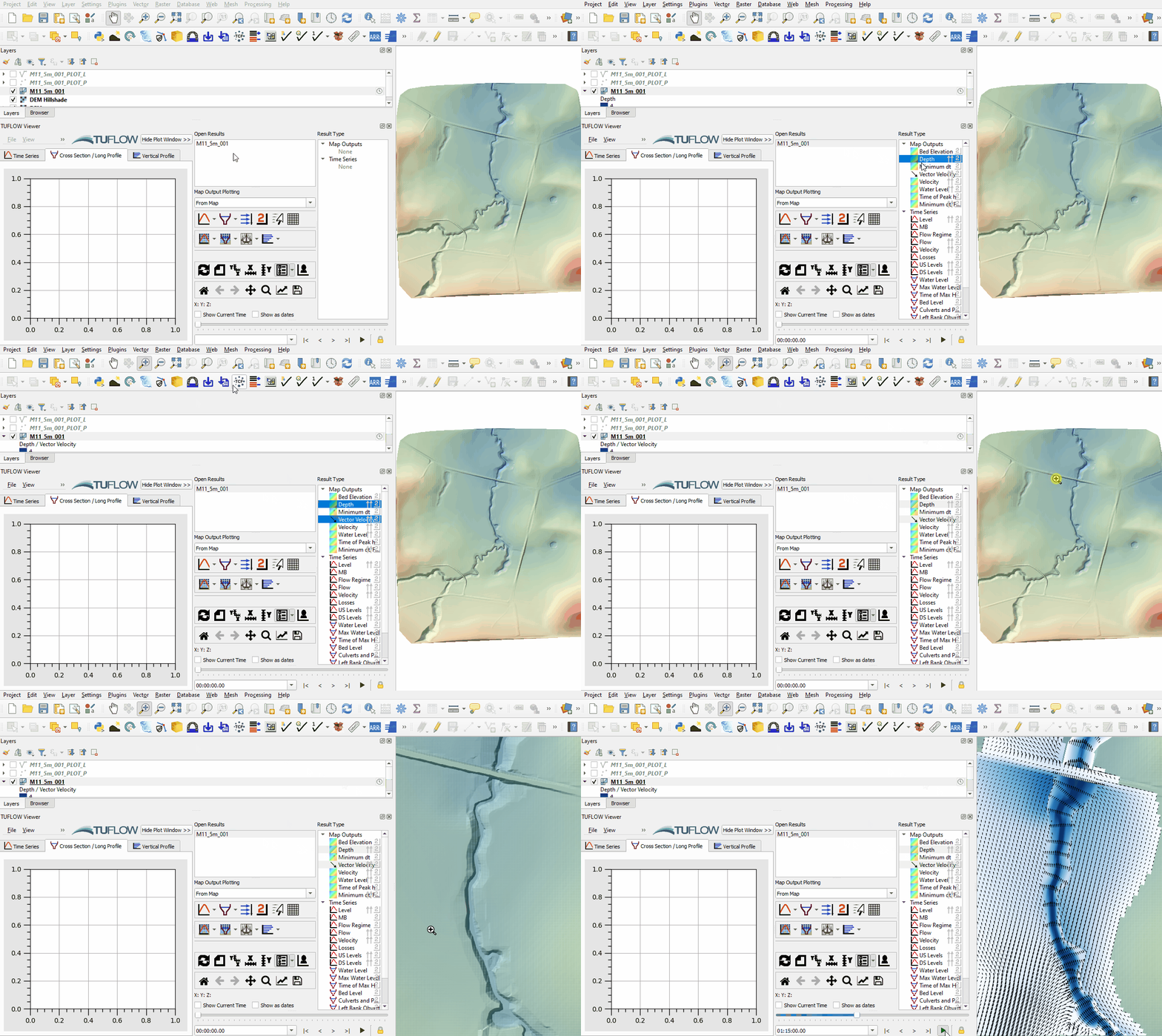
- Select the 'Depth' and 'Vector Velocity' output type in the Result Type panel. The resolution of the vector velocity is different between the 1D and 2D sections. The 1D section shows vectors at the water level lines (2d_WLL) every 2.5m, the 2D section shows vectors based on the 2D cell resolution, every 5m. The direction of the vectors show water moving between the 1D and 2D:
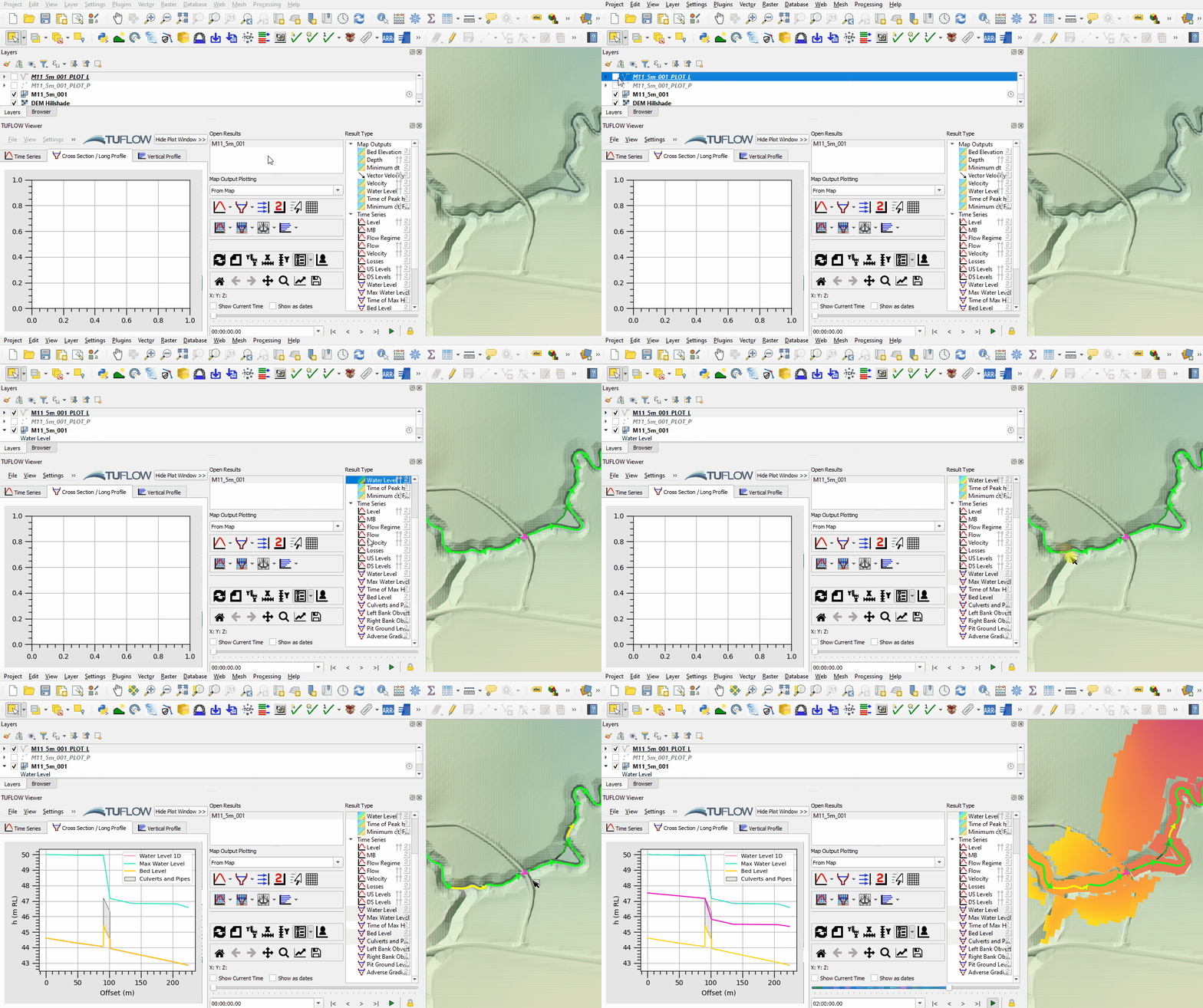
- Use the Long Profile tool to see a long profile of water through the 1D open channel. Select 'Water Level', 'Max Water Level', 'Bed Level' and 'Culverts and Pipes' from the Result Type panel.
- Select a section of open channel by clicking on an upstream and downstream PLOT_L result by holding shift. If only one line is selected, the tool plots the entire open channel downstream of the selected line:
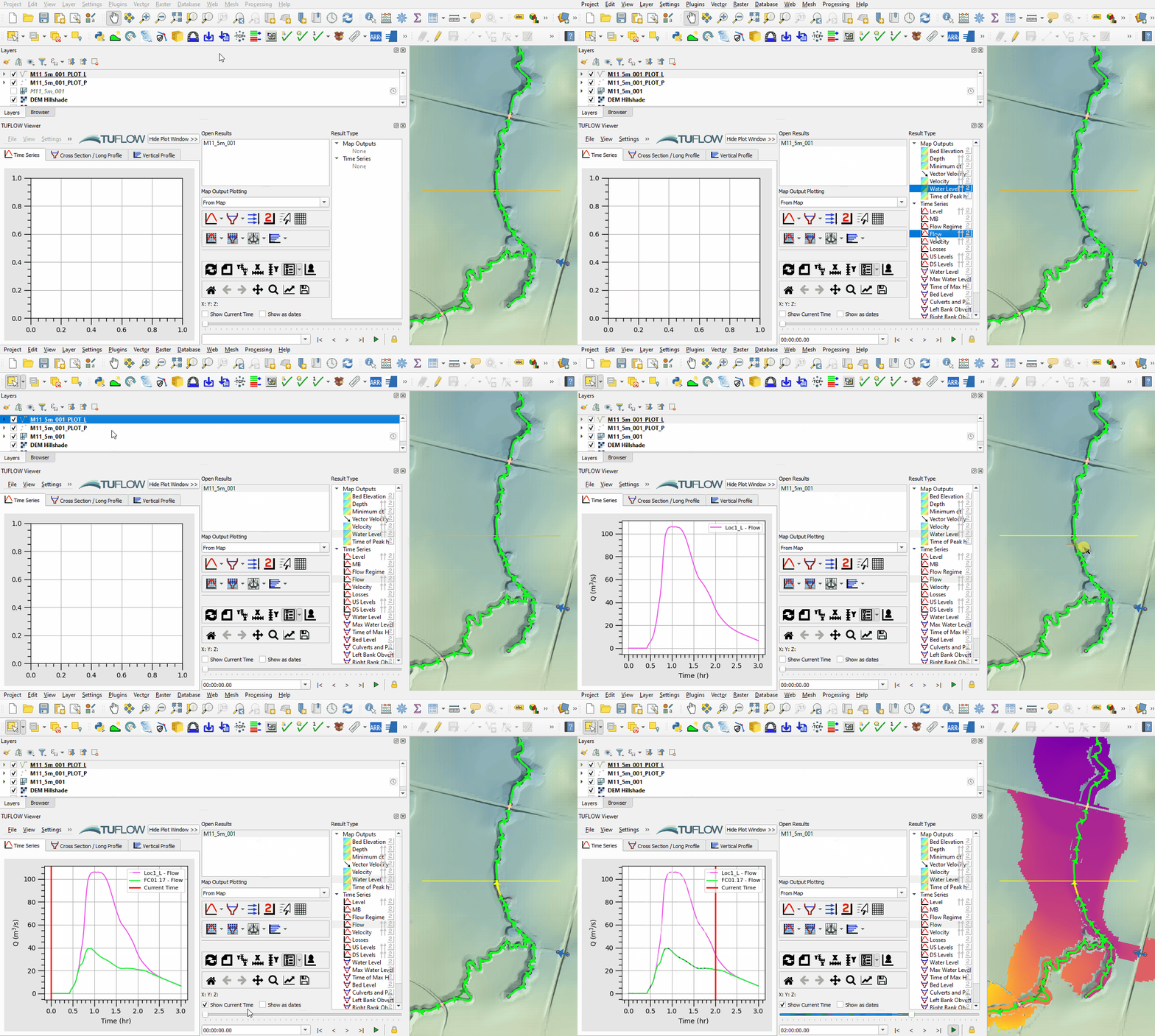
- Use the Plot Time Series tool to see the time series of the flow at the reporting location and open channel PLOT_L line. The reporting location shows the total flow across the line in both the 1D and 2D. The open channel line shows flow only though the 1D.
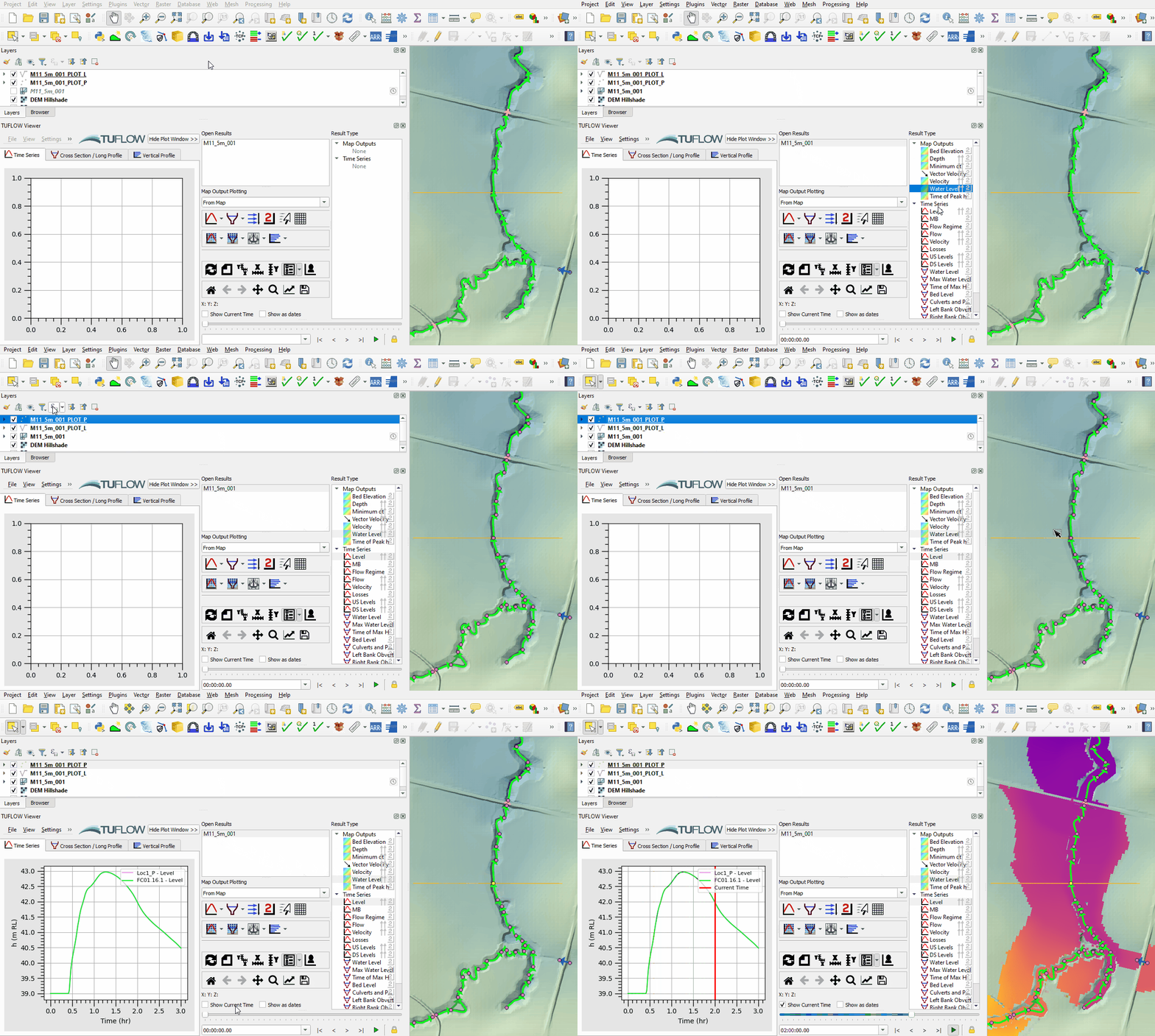
- Use the Plot Time Series tool to see the time series of the water level at the reporting location point. When snapped to 1D channel start/end, it shows the 1D water level. Not snapped it would show the 2D water level.


Conclusion
- Depth and velocity map outputs from the 1D and 2D were inspected.
- A long section of water level through the 1D results was plotted.
- Time series of flow was inspected at the reporting location and compared with flow in the 1D channel.
- For further functionality, see TUFLOW Viewer.
| Up |
|---|
 Back to Module 11 Main Page Back to Module 11 Main Page
|