Tutorial M02 002 Check Files QGIS GPKG: Difference between revisions
Jump to navigation
Jump to search
Content deleted Content added
Created page with "<span style="color:#FF0000"> <font size = 18>Page Under Construction</font> </span> = Introduction = QGIS is used to import the check files and review the modified elevations..." |
|||
| Line 14: | Line 14: | ||
Review the check files: <br> |
Review the check files: <br> |
||
<ol> |
<ol> |
||
<li> |
<li>Navigate to the '''Module_02\TUFLOW\check''' folder and open the following layers into QGIS: |
||
:*'''M02_5m_001_DEM_Z.tif''' |
:*'''M02_5m_001_DEM_Z.tif''' |
||
:*'''M02_5m_002_DEM_Z.tif''' |
:*'''M02_5m_002_DEM_Z.tif''' |
||
<li>Drag and drop '''M02_5m_002_Check.gpkg''' into QGIS and select the '''M02_5m_002_sh_obj_check_R''' layer. |
|||
:*'''M02_5m_002_sh_obj_check_R.shp''' |
|||
<li>Use the 'Apply TUFLOW Styles to Open Layers'. |
<li>Use the 'Apply TUFLOW Styles to Open Layers'. |
||
<li>Use tge 'Apply GPKG Layer Names'. |
|||
<li>The DEM_Z grid shows the final elevations including any topographic modifications used for the model calculations. |
<li>The DEM_Z grid shows the final elevations including any topographic modifications used for the model calculations. |
||
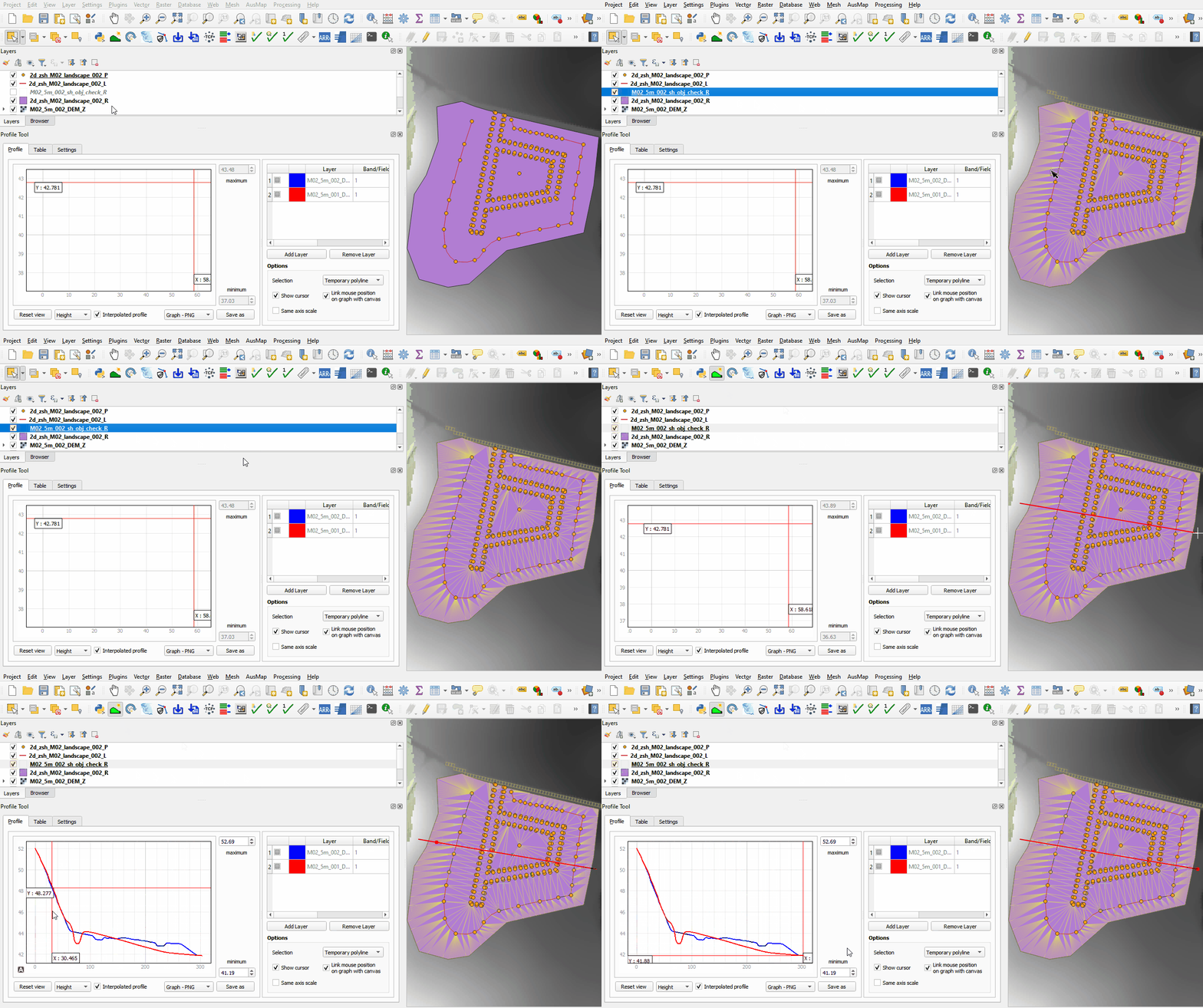
<li>The sh_obj_check file displays the TIN triangles created by TUFLOW during the model initialisation and is useful to review for all merge polygons. |
<li>The sh_obj_check file displays the TIN triangles created by TUFLOW during the model initialisation and is useful to review for all merge polygons. |
||
Revision as of 15:19, 26 May 2023
Page Under Construction
Introduction
QGIS is used to import the check files and review the modified elevations between both model runs.
Method
This tutorial introduces:
Review the check files:
- Navigate to the Module_02\TUFLOW\check folder and open the following layers into QGIS:
- M02_5m_001_DEM_Z.tif
- M02_5m_002_DEM_Z.tif
- Drag and drop M02_5m_002_Check.gpkg into QGIS and select the M02_5m_002_sh_obj_check_R layer.
- Use the 'Apply TUFLOW Styles to Open Layers'.
- Use tge 'Apply GPKG Layer Names'.
- The DEM_Z grid shows the final elevations including any topographic modifications used for the model calculations.
- The sh_obj_check file displays the TIN triangles created by TUFLOW during the model initialisation and is useful to review for all merge polygons.
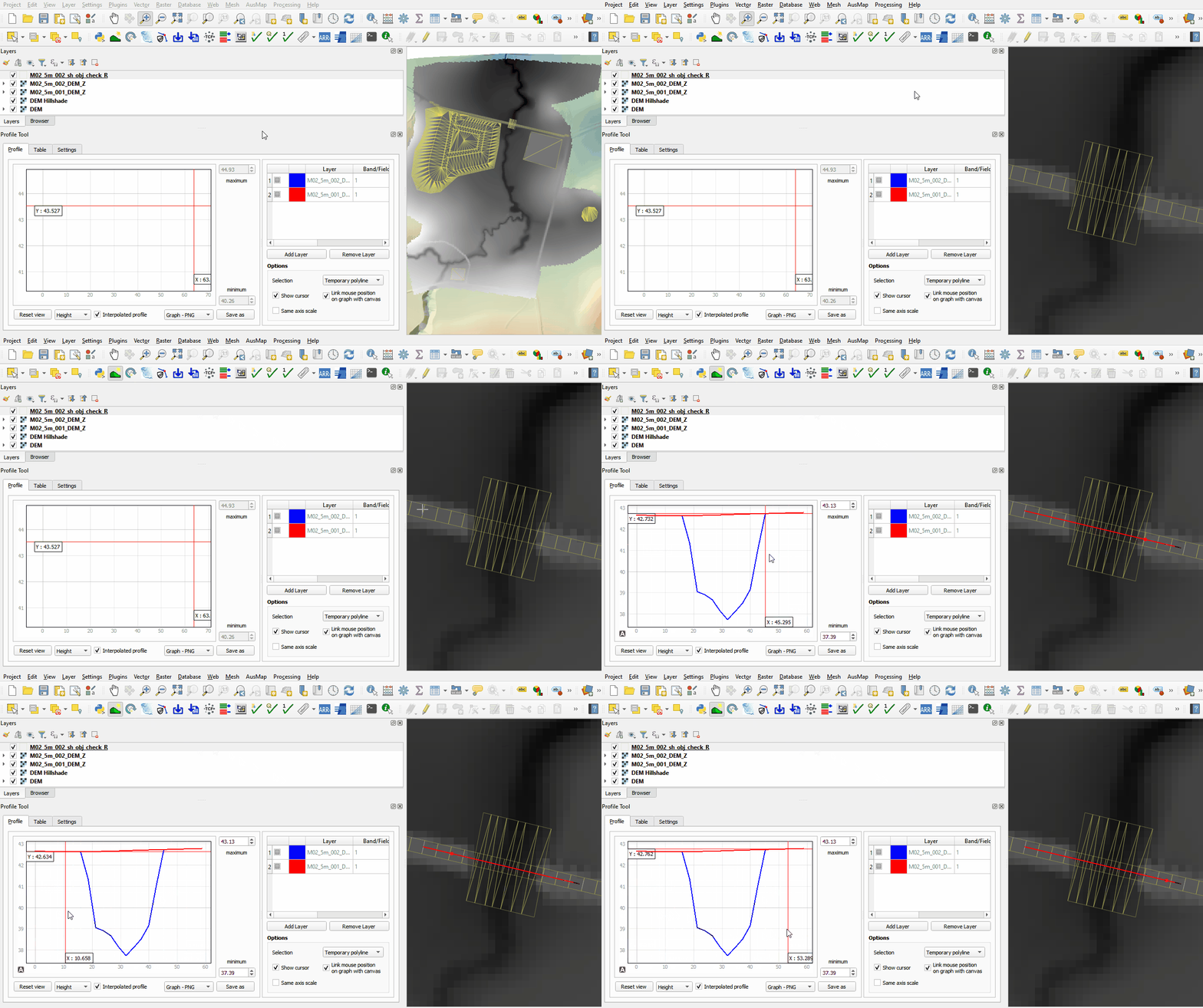
- Use the Profile Tool plugin to compare the DEM_Z files from both model runs.
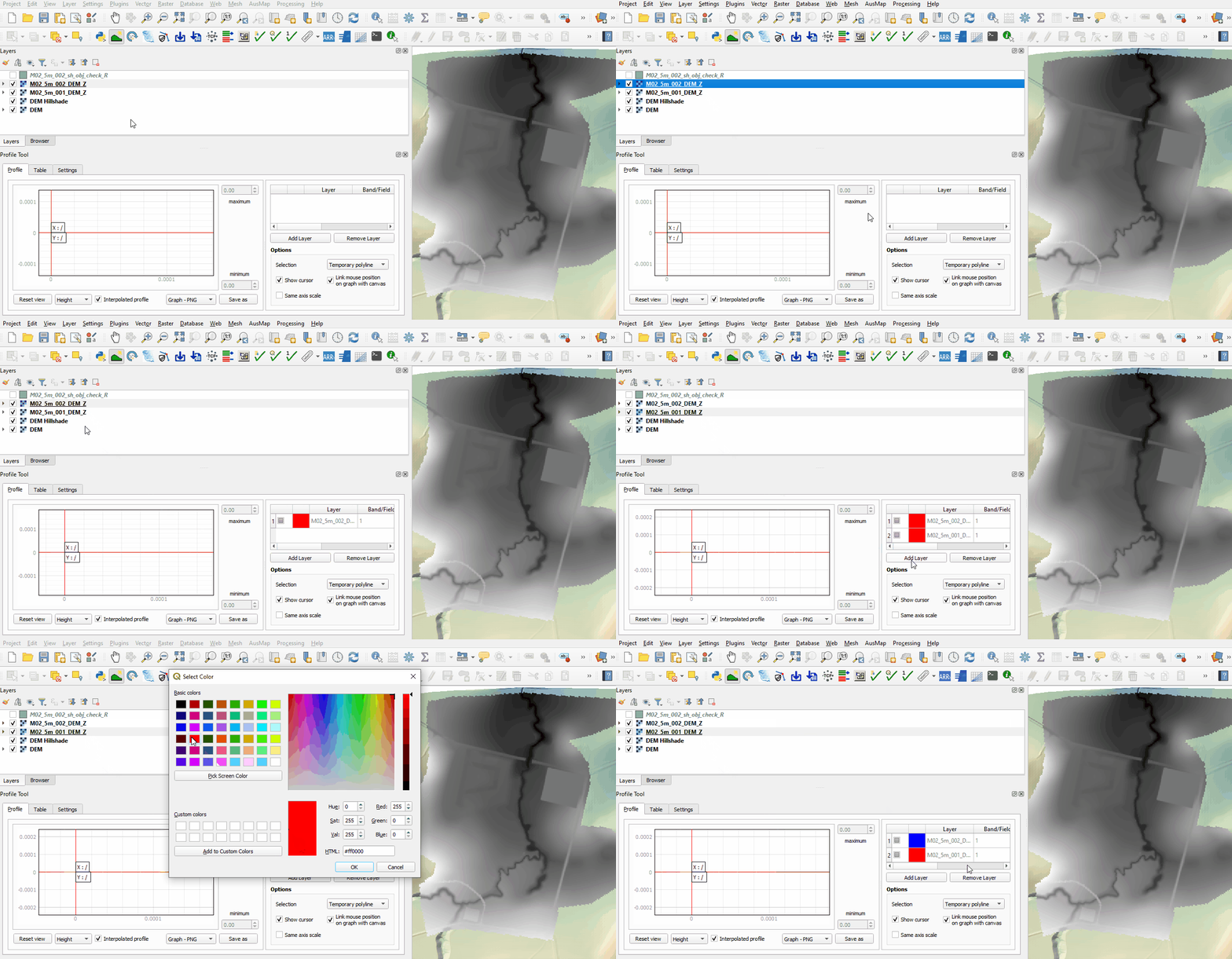
- The first no merge region raises all elevation points to a single value.
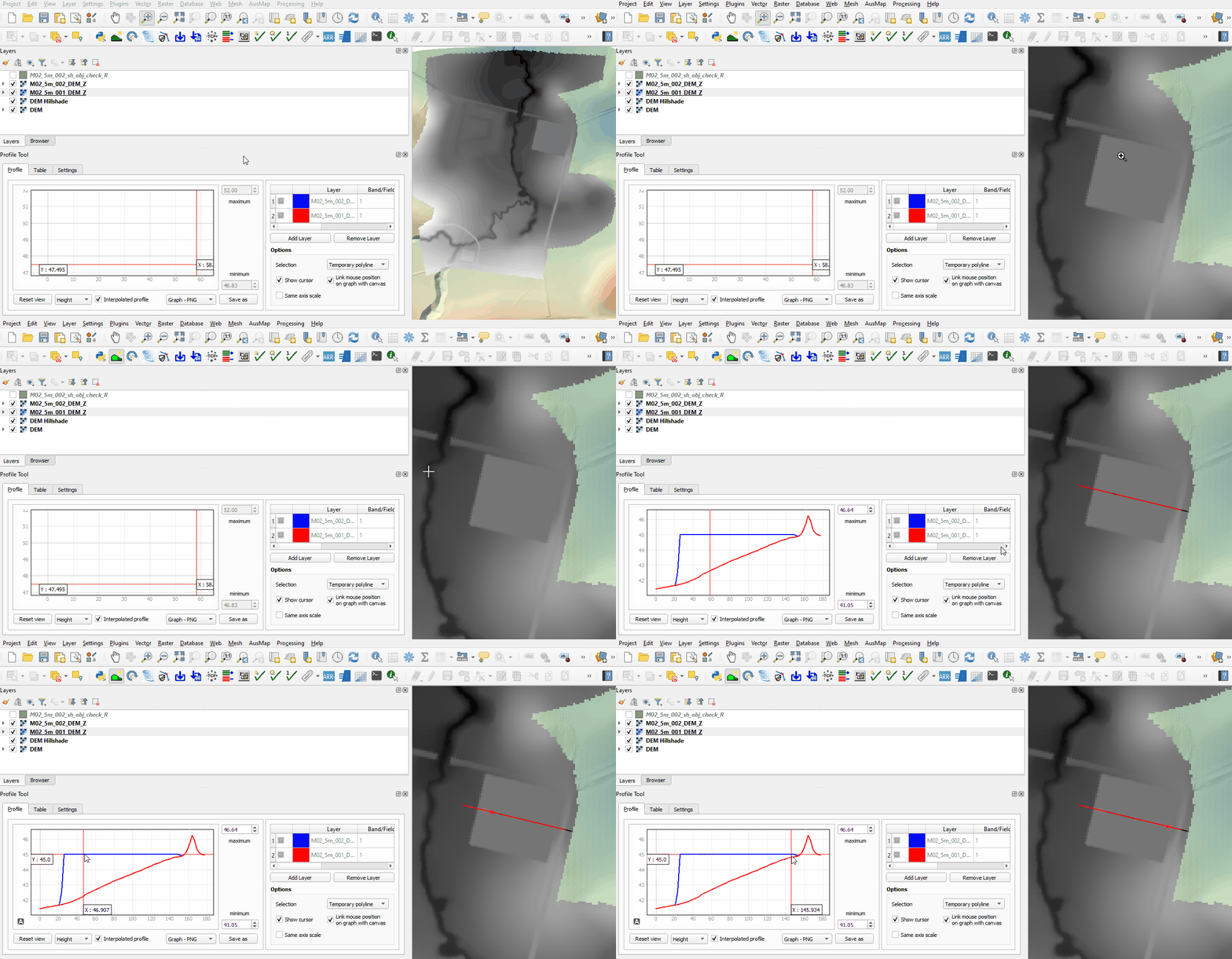
- The second no merge region adds a specified value to all elevation points.
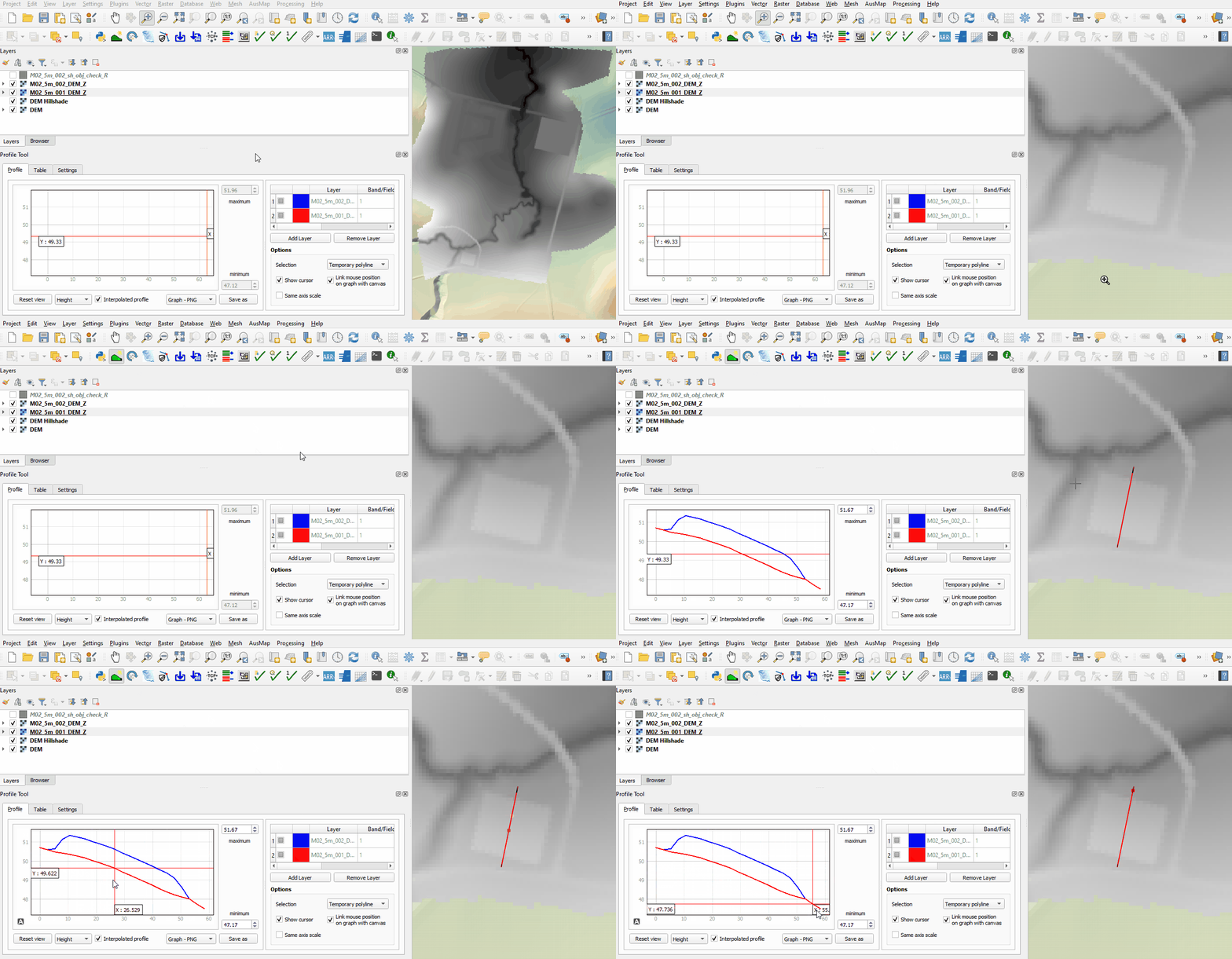
- The merge region used for the farm dam rehabilitation interpolates between all perimeter elevation points.
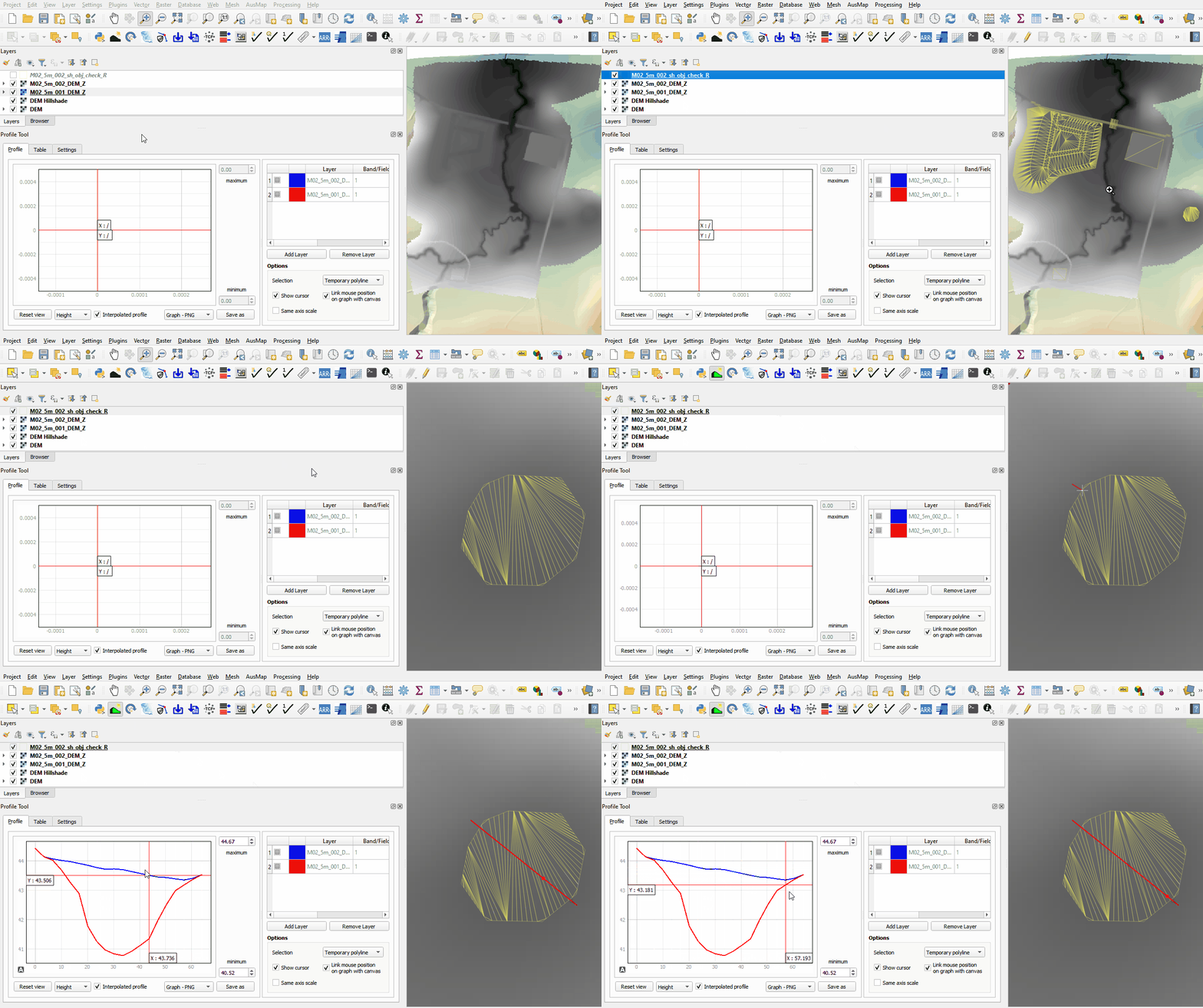
- The merge region with negative Shape_Option attribute cuts through the embankment. The manually added vertices allow the modification to follow the cross section of the channel.
- Zoom to the landscape files and review the TIN triangles and elevations created by the points, line and region using the merge option.
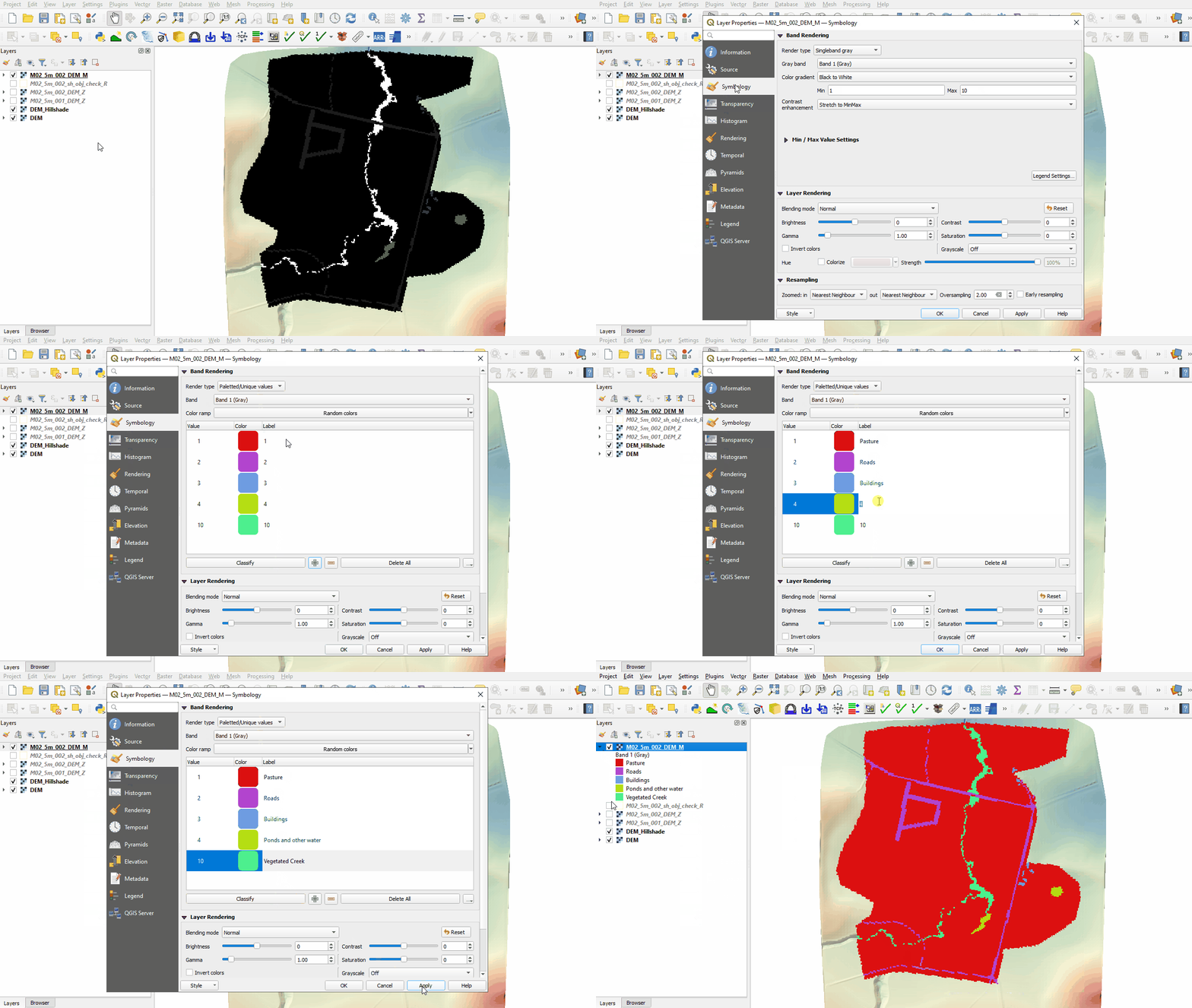
- Open the following file from the Module_02\TUFLOW\check folder:
- M02_5m_002_DEM_M.tif
- Right click on the DEM_M file and select 'Properties'.
- From 'Render Type', select 'Palletted/Unique Values'.
- Click 'Classify', five unique values appear referring to the material specified in the 2d_mat_M02_landscape and materials.csv file. Click 'OK'.
- The DEM_M shows the final material ID values. Change the labels to match the material class as shown below.


Conclusion
- The topographic modifications representing different development sites were assessed using the Profile Tool.
- The DEM_M grid was used to review the land use.
| Up |
|---|
 Back to Module 2 Main Page Back to Module 2 Main Page
|