Tutorial M01 Define Active Area QGIS GPKG: Difference between revisions
Jump to navigation
Jump to search
Content deleted Content added
No edit summary |
|||
| Line 26: | Line 26: | ||
[[File:Animation_M01_GPKG_Code_01.gif]]<br> |
[[File:Animation_M01_GPKG_Code_01.gif]]<br> |
||
<br> |
<br> |
||
The model extent is provided in a common GeoPackage: |
|||
<ol> |
<ol> |
||
<li>Load in the '''Model_Boundary.gpkg''' from the '''Module_01\Tutorial_Data''' folder |
<li>Load in the '''Model_Boundary.gpkg''' from the '''Module_01\Tutorial_Data''' folder by either: |
||
:*Drag and drop the .gpkg into the QGIS workspace, or |
|||
:*Navigate to the file through the Browser Panel and double click. |
|||
<li>The region object in the '''Model_Boundary''' is not in the TUFLOW file format and needs to be copied into the '''2d_code_M01_001_R''' layer to have the correct attributes. |
<li>The region object in the '''Model_Boundary''' is not in the TUFLOW file format and needs to be copied into the '''2d_code_M01_001_R''' layer to have the correct attributes. |
||
<li>Make the '''2d_code_M01_001_R''' layer editable by right clicking the layer and selecting 'Toggle Editing'. |
<li>Make the '''2d_code_M01_001_R''' layer editable by right clicking the layer and selecting 'Toggle Editing'. |
||
Revision as of 16:31, 26 May 2023
Page Under Construction
Introduction
QGIS is used to set an active model area.
Testing mp4 here
Method
Use the TUFLOW plugin to create the code polygon layer:
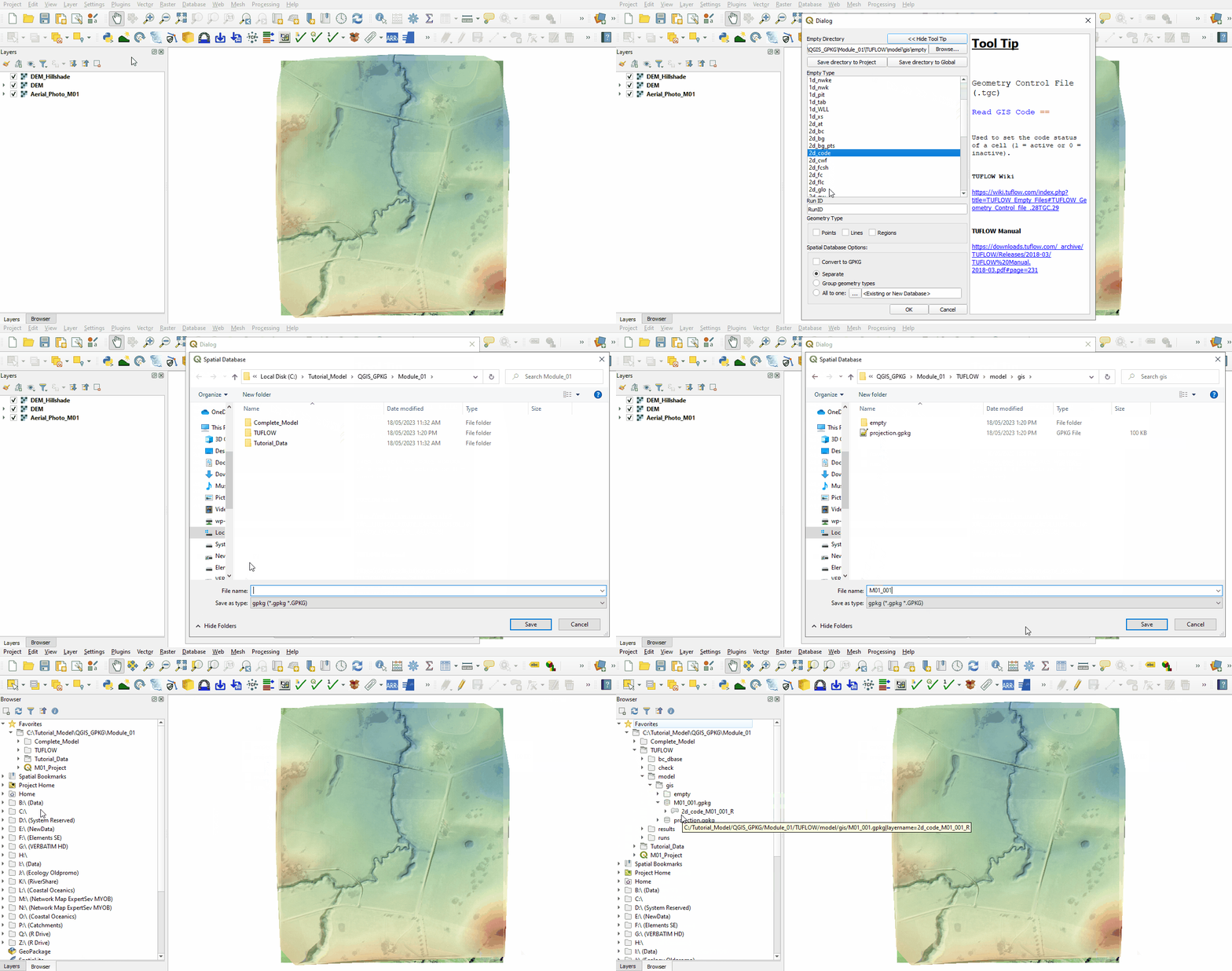
- Click on the ‘Import Empty File’ symbol from the TUFLOW Plugin toolbar.

- This opens the Dialog shown below. The TUFLOW plugin accesses the 'Empty Directory' created when the project was configured and provides a list of files to choose from. It appends the 'Empty Type' to the beginning of the 'RUN ID' and the 'Geometry Type' letter to the end. This becomes the name of the file. Make the following selections:
- Select '2d_code' from the Empty Type list.
- In the Run ID box write: 'M01_001'.
- Tick the 'Regions' Geometry Type.
- In the Spatial Database Options, select 'All to one'. Navigate to the Module_01/TUFLOW/model/gis folder and save the GeoPackage database as M01_001.gpkg.
- Click 'OK'.
- A layer called 2d_code_M01_001_R in a region format with the relevant TUFLOW attributes is created. The TUFLOW plugin automatically creates a GeoPackage database called M01_001.gpkg in the Module_01\TUFLOW\model\gis folder, saves the 2d_code_M01_001_R layer within it and opens it in the QGIS Layers panel.
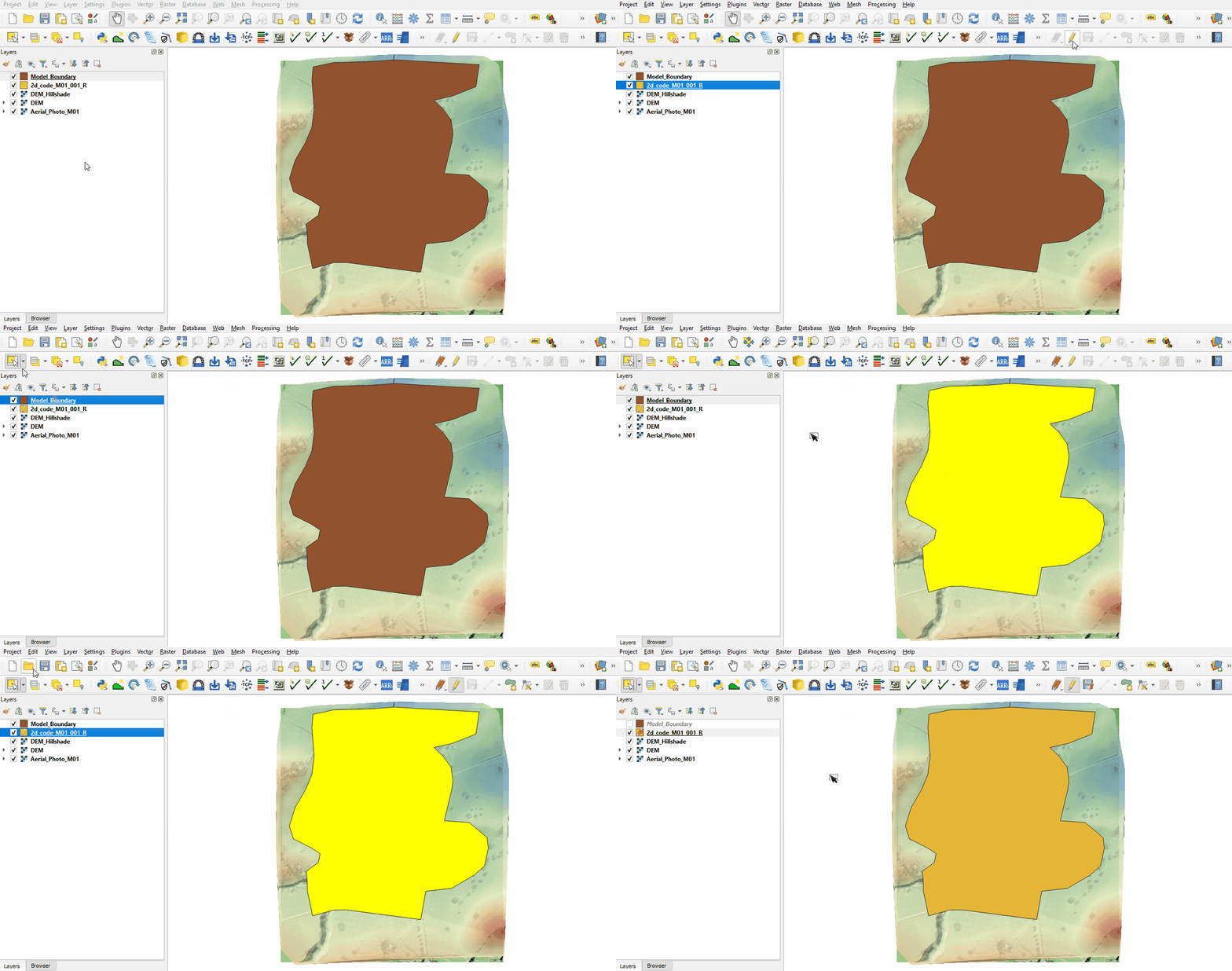
- Load in the Model_Boundary.gpkg from the Module_01\Tutorial_Data folder by either:
- Drag and drop the .gpkg into the QGIS workspace, or
- Navigate to the file through the Browser Panel and double click.
- The region object in the Model_Boundary is not in the TUFLOW file format and needs to be copied into the 2d_code_M01_001_R layer to have the correct attributes.
- Make the 2d_code_M01_001_R layer editable by right clicking the layer and selecting 'Toggle Editing'.
- Select the Model_Boundary file by left clicking on it once in the Layers panel and use the 'Select Features' tool to highlight it.
- Select 'Edit' from the top QGIS tab and 'Copy Features' from the drop down menu.
- Select the 2d_code_M01_001_R layer in the Layers panel by left clicking on it once. Select 'Edit' from the top QGIS tab and click 'Paste Features' from the drop down menu.
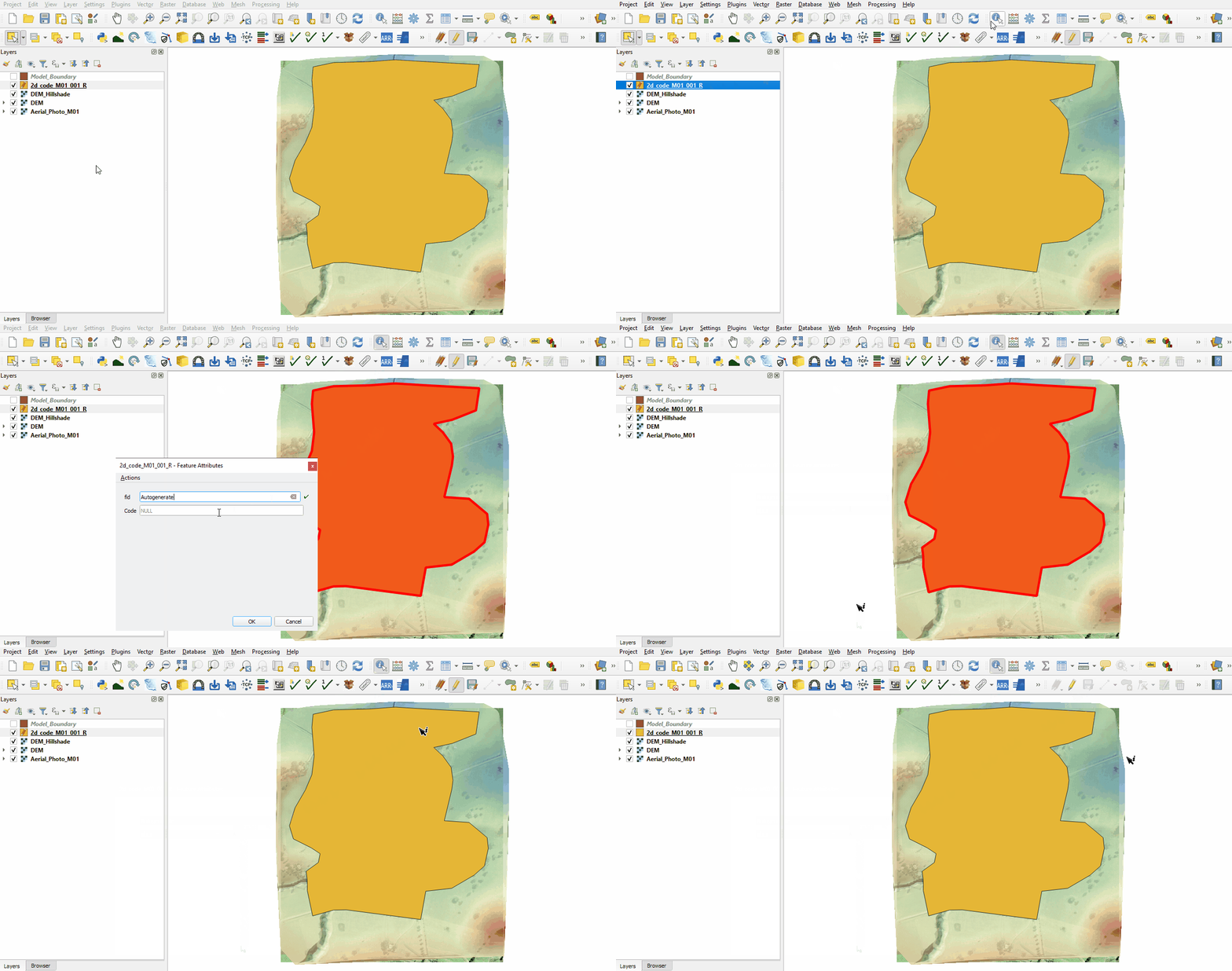
Define the area as active:
- At present the 2d_code_M01_001_R is not active. Using the 'Identify Features' tool click on the 2d_code_M01_001_R region in QGIS. The attribute 'Code' has a value of 'NULL'.
- Right click on the 'NULL' value and select 'Edit Feature From', change the value to '1' and click 'OK'.
- The feature ID 'fid' attribute is unique to GeoPackages. QGIS will automatically assign a value.
- Toggle the editing off to save the edits.
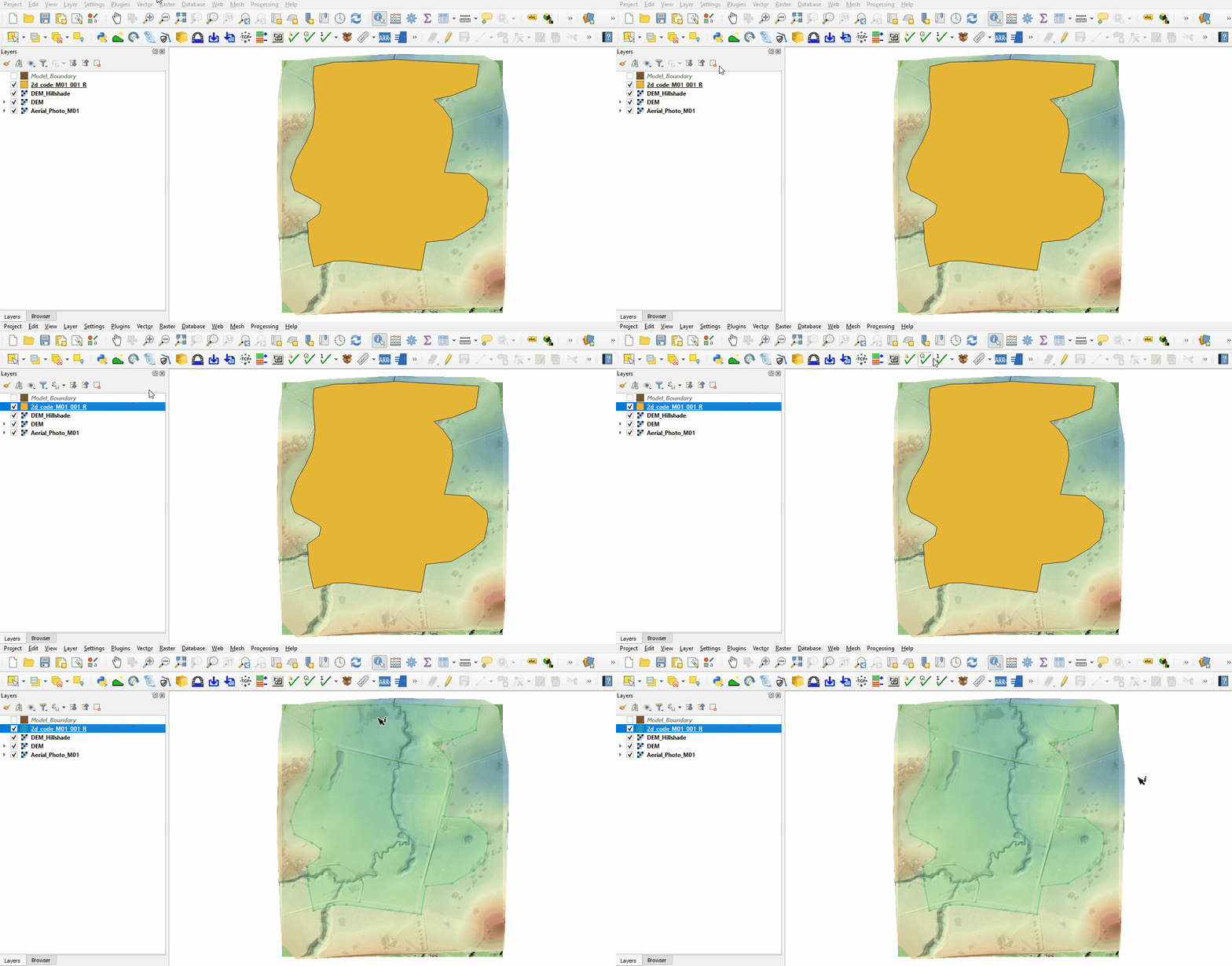
Use the TUFLOW plugin for styling the code polygon layer to make it easier to work with:
- Change the symbology of the 2d_code_M01_001_R layer to make it easier to work with.
- Left click the 2d_code_M01_001_R in the Layers panel to select it.
- Select ‘Apply TUFLOW Styles to Current Layer’.
- This updates the styling of the layer to display points on the region vertices and set the opacity to 25%.
Conclusion
- The 2d_code layer was created setting the code value for cells inside the polygon to active (code = 1).
Up  Back to Module 1 Main Page
- Load in the Model_Boundary.gpkg from the Module_01\Tutorial_Data folder by either:


