Tutorial Site Familiarisation QGIS: Difference between revisions
Jump to navigation
Jump to search
Content deleted Content added
No edit summary |
|||
| Line 12: | Line 12: | ||
:*Select the matching projection in the 'Predefined Coordinate Reference Systems' section. |
:*Select the matching projection in the 'Predefined Coordinate Reference Systems' section. |
||
:*Click 'Apply' and 'OK'. |
:*Click 'Apply' and 'OK'. |
||
<li>Check that the projection is set correctly by viewing |
<li>Check that the projection is set correctly by viewing the bottom right hand corner of the workspace. It should read 'EPSG:32760'.<br> |
||
<br> |
<br> |
||
[[File:Animation_M01_Projection_a.gif]]<br> |
[[File:Animation_M01_Projection_a.gif]]<br> |
||
Revision as of 21:15, 19 June 2023
Introduction
QGIS is used to view the aerial image and elevation data of the model.
Method
Set up a workspace to contain aerial imagery and elevation data of the model in correct projection.
Set the Projection
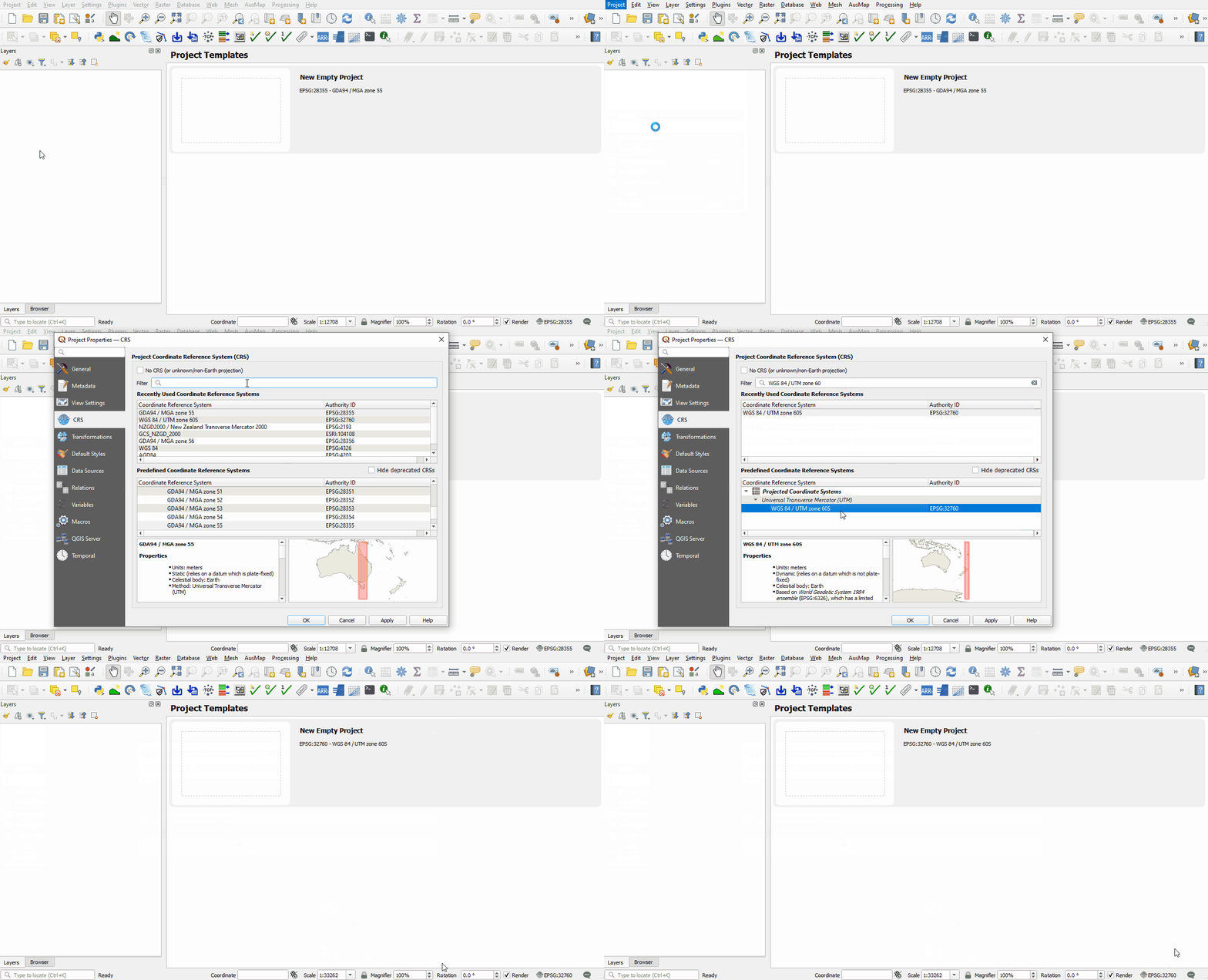
- Set the projection of the workspace:
- Go to Project > Properties.
- In the CRS tab, type 'WGS 84 / UTM zone 60S'.
- Select the matching projection in the 'Predefined Coordinate Reference Systems' section.
- Click 'Apply' and 'OK'.
- Check that the projection is set correctly by viewing the bottom right hand corner of the workspace. It should read 'EPSG:32760'.

Aerial Image
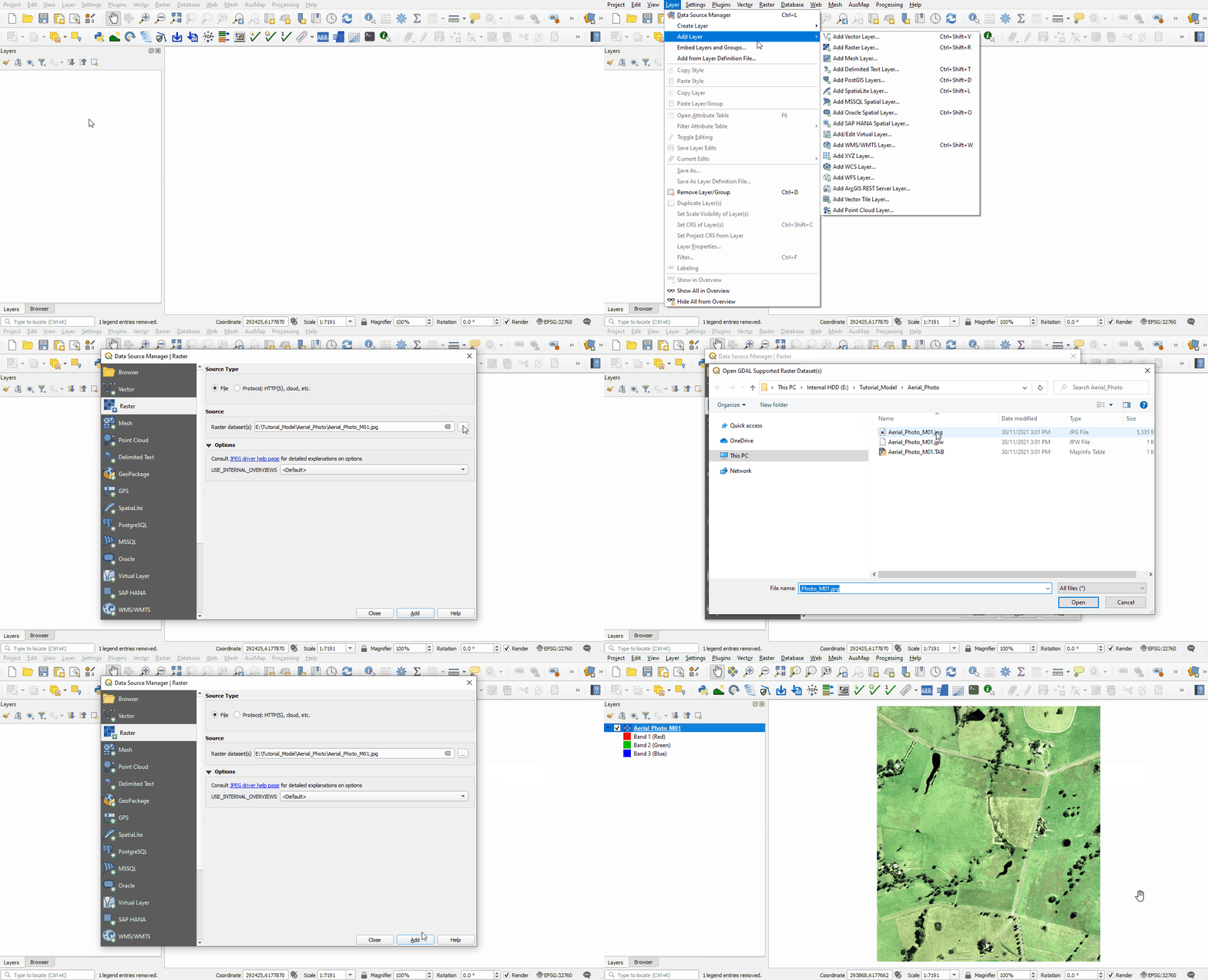
- Bring in the Aerial, either:
- From the Aerial_Photo folder, drag and drop the Aerial_Photo_M01.jpg file into the workspace; or
- Select Layer > Add layer > Add Raster Layer and navigate to the Aerial_Photo folder.

Elevation Data
- Bring in the DEM, either:
- From the DEM folder, drag and drop the DEM.tif file into the workspace; or
- Select Layer > Add layer > Add Raster Layer and navigate to the DEM folder.
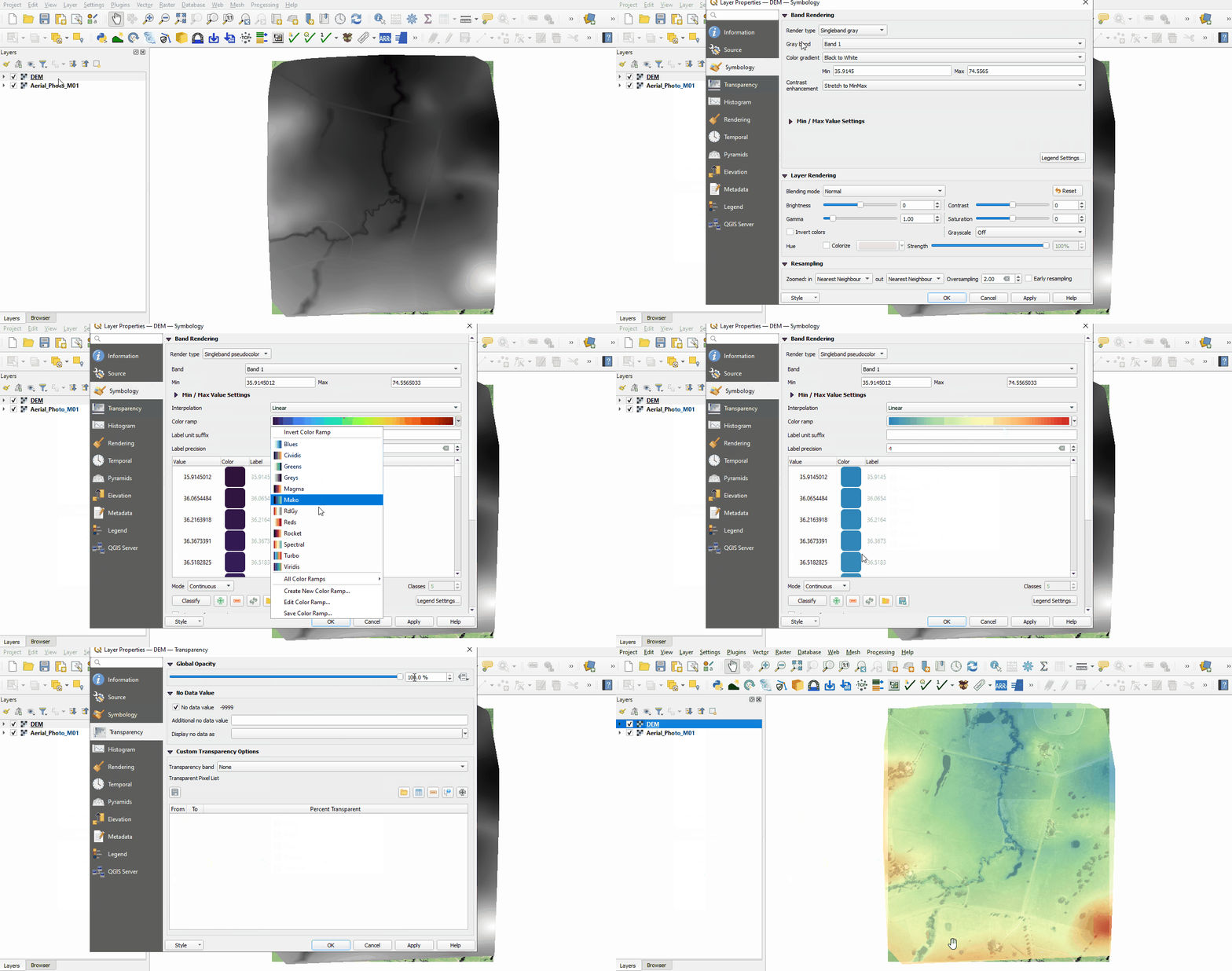
- Change the symbology of the DEM:
- Right click on the DEM file in the Layers panel and select 'Properties'.
- From the Symbology tab, under 'Band Rendering' select the following options:
- Render type: Singleband pseudocolor
- Color ramp: Spectral
- Color ramp: Invert Color Ramp
- Mode: Equal Interval
- From the Transparency tab, set the Global Opacity to 75%.
- Click 'Apply' and 'OK'.
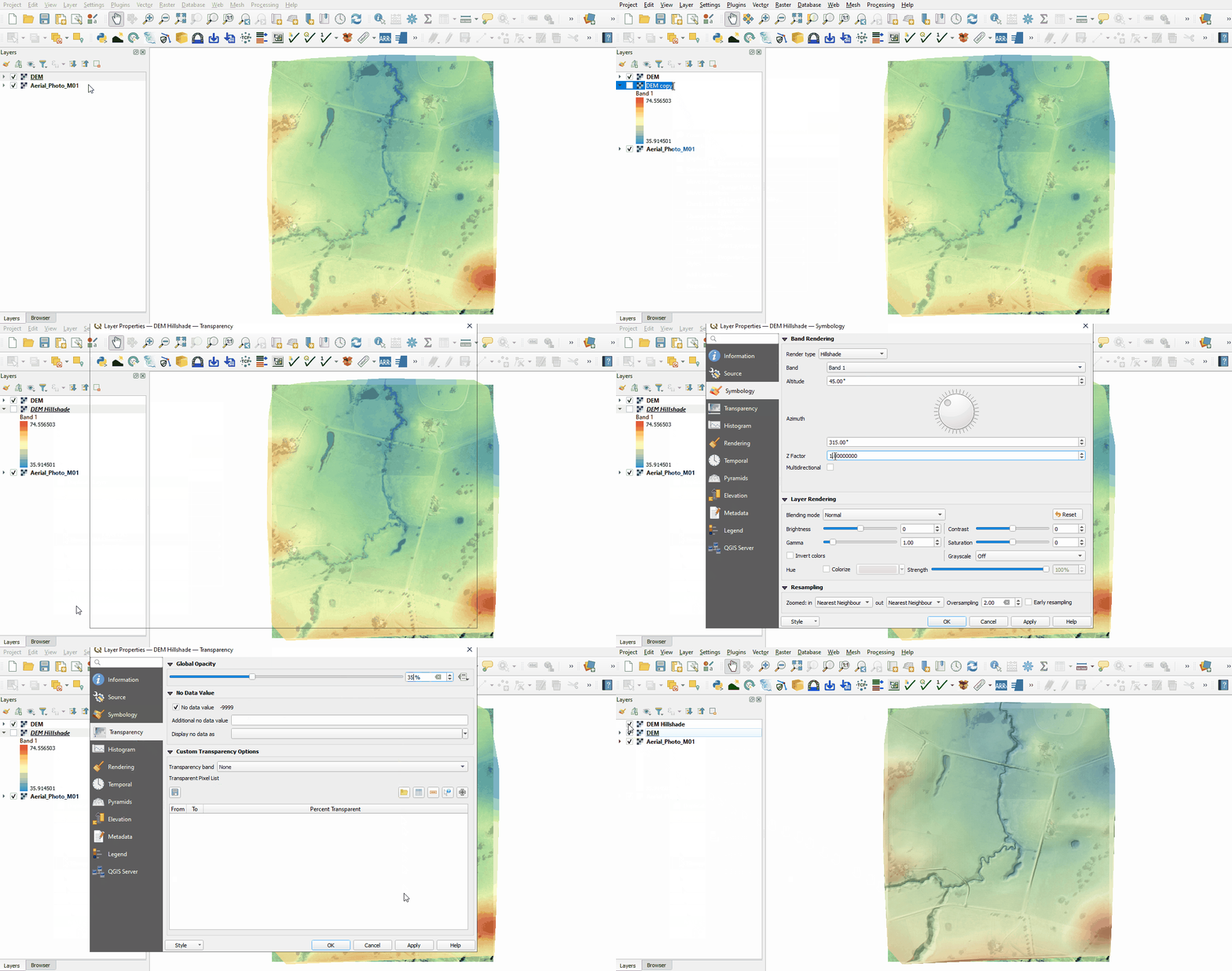
- Include a Hillshade of the DEM:
- Right click on the DEM file in the Layers panel and select 'Duplicate Layer'.
- Right click on the DEM_copy and select 'Rename Layer'. Rename the layer to DEM_Hillshade.
- Right click on the DEM_Hillshade file and select 'Properties'.
- From the Symbology tab, under 'Band Rendering' select the following options:
- Render type: Hillshade
- Z Factor: 3
- From the Transparency tab, set the Global Opacity to 35%.
- Click 'Apply' and 'OK'.


Conclusion
- The workspace was set up to contain an aerial image and DEM of the site in the correct projection.
- The workspace was set up to contain an aerial image and DEM of the site in the correct projection.
| Up |
|---|
 Back to Module 1 Main Page Back to Module 1 Main Page
|