Arc Creating Water Level Lines: Difference between revisions
Chris Huxley (talk | contribs) No edit summary |
Chris Huxley (talk | contribs) No edit summary |
||
| Line 7: | Line 7: | ||
<ol> |
<ol> |
||
<li> Digitise 1D channels in the 1d_nwk file (representing the 1D flow path centerline) and a 2D code polygon in the 2d_code file (representing the 1D area that will be deactivated from the 2D domain) |
<li> Digitise 1D channels in the 1d_nwk file (representing the 1D flow path centerline) and a 2D code polygon in the 2d_code file (representing the 1D area that will be deactivated from the 2D domain) |
||
<li> Open ET GeoWizard. Select Miscellaneous >> Create Station Lines <br>[[File:ET_Geo_Wizard_000.PNG| |
<li> Open ET GeoWizard. Select Miscellaneous >> Create Station Lines <br>[[File:ET_Geo_Wizard_000.PNG|600px]] |
||
<li> Create Water Level Lines of a fixed length and spacing. Select "Both" when asked to specify the side of the polylines. <br> |
<li> Create Water Level Lines of a fixed length and spacing. Select "Both" when asked to specify the side of the polylines. <br> |
||
[[File:ET_Geo_Wizard_001.PNG|400px]][[File:ET_Geo_Wizard_002.PNG|400px]] |
[[File:ET_Geo_Wizard_001.PNG|400px]][[File:ET_Geo_Wizard_002.PNG|400px]] |
||
<li> Open the 2d_code file containing the region that will be deactivated from the 2D domain. Use ET GeoWizard to split the Water Level Lines using the 2d_code polygon. Select Polyline >> Split Polyline with Layer <br> |
<li> Open the 2d_code file containing the region that will be deactivated from the 2D domain. Use ET GeoWizard to split the Water Level Lines using the 2d_code polygon. Select Polyline >> Split Polyline with Layer <br> |
||
[[File:ET_Geo_Wizard_003.PNG|400px]][[File:ET_Geo_Wizard_004.PNG|400px]] |
[[File:ET_Geo_Wizard_003.PNG|400px]][[File:ET_Geo_Wizard_010.PNG|200px]][[File:ET_Geo_Wizard_004.PNG|400px]] |
||
<li> Use the Selection>>Select By Location to select the water level lines within the code polygon.<br> |
<li> Use the Selection>>Select By Location to select the water level lines within the code polygon.<br> |
||
[[File:ET_Geo_Wizard_005.PNG|200px]][[File:ET_Geo_Wizard_006.PNG|600px]] |
[[File:ET_Geo_Wizard_005.PNG|200px]][[File:ET_Geo_Wizard_006.PNG|600px]] |
||
Revision as of 05:21, 17 November 2015
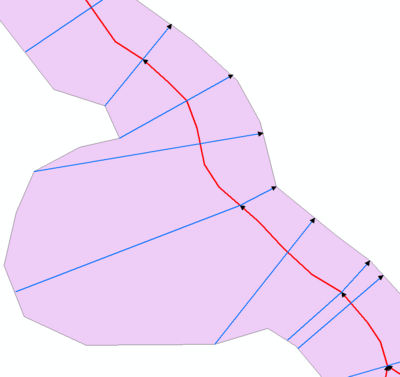
1D domain results can be output in combination with 2D domain(s) by using the 1d_wll GIS layer and the Read GIS WLL .ecf command. 1d_wll GIS layer(s) are used to define and control the 1D map output. The layer(s) contain lines Water Level Lines that cross 1D channels and/or nodes. A Water Level Lines is essentially a line of horizontal water level, and should be digitised on this basis (ie. perpendicular to the flow direction).
The direction of digitising the Water Level Lines is important. They must be from left to right looking in the positive direction of the channel.
The ArcGIS tool ET GeoWizard can be used to help automate Water Level Line digitising. ET GeoWizard can be downloaded from http://www.ian-ko.com/ET_GeoWizards/gw_demo.htm.
- Digitise 1D channels in the 1d_nwk file (representing the 1D flow path centerline) and a 2D code polygon in the 2d_code file (representing the 1D area that will be deactivated from the 2D domain)
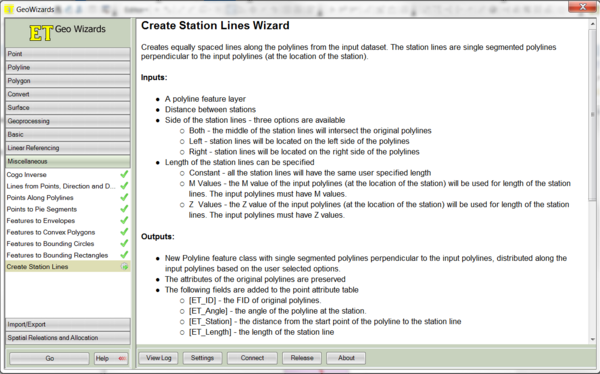
- Open ET GeoWizard. Select Miscellaneous >> Create Station Lines
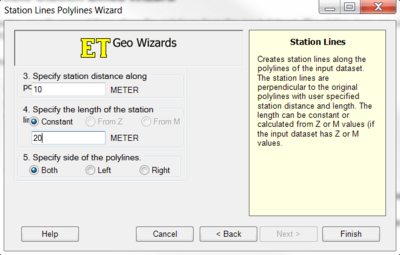
- Create Water Level Lines of a fixed length and spacing. Select "Both" when asked to specify the side of the polylines.
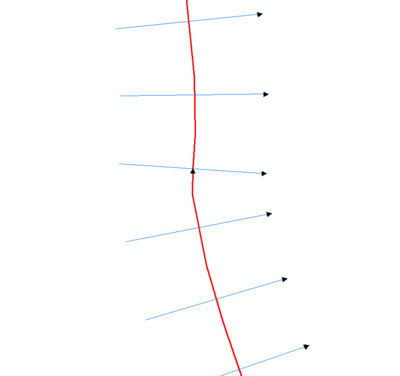
- Open the 2d_code file containing the region that will be deactivated from the 2D domain. Use ET GeoWizard to split the Water Level Lines using the 2d_code polygon. Select Polyline >> Split Polyline with Layer
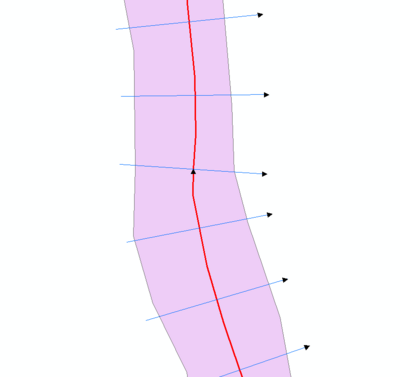
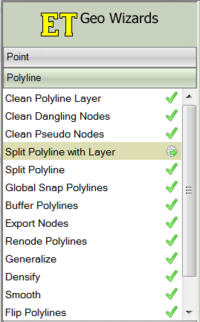
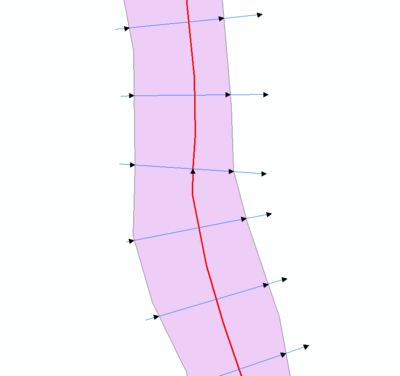
- Use the Selection>>Select By Location to select the water level lines within the code polygon.
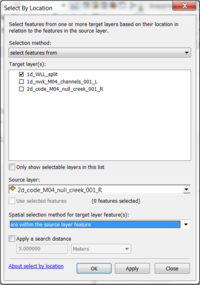
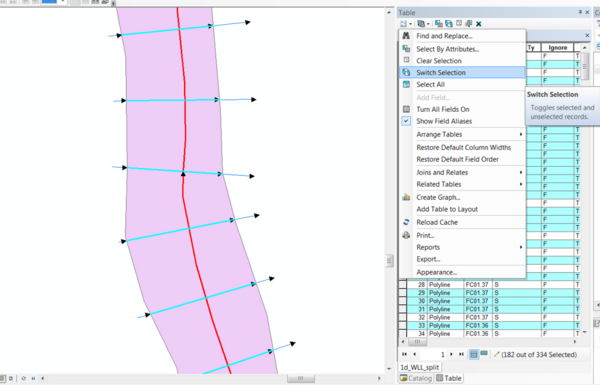
- Open the attribute table for the Water Level Lines. Select "Switch Selection". Delete the lines outside the code polygon.
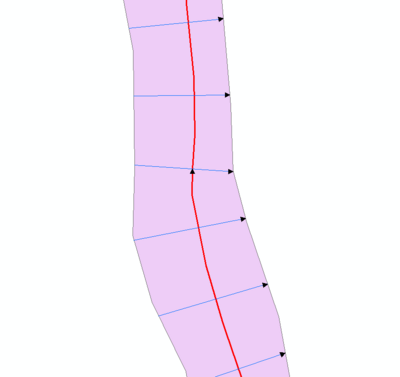
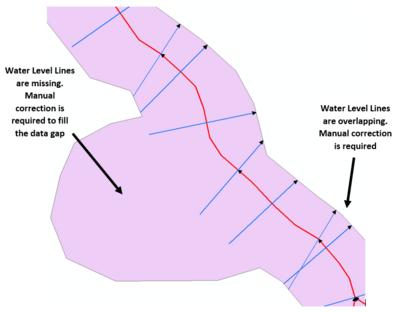
- Further review of the Water Level Lines is required to ensure there is full coverage within the deactivate code polygon, and that no lines overlap. Manual updates will be required to correct for these.