MI Creating Google Earth KMZ
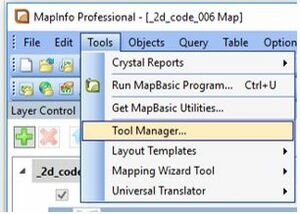
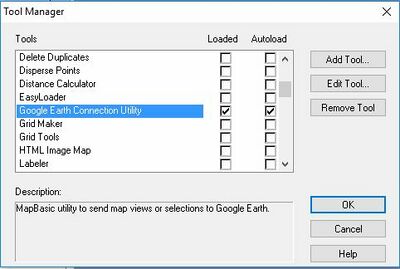
- Load the Google Earth Connection Utility using Tools >> Tool Manager...
- Open the MapInfo table containing the data you wish to export to Google Earth.
- Select the object or objects you wish to export to Google Earth.
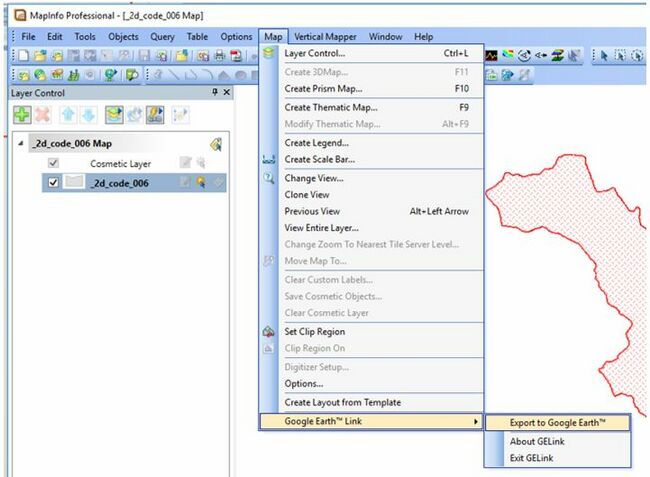
- Select "Export to Google Earth" via the Map Options.
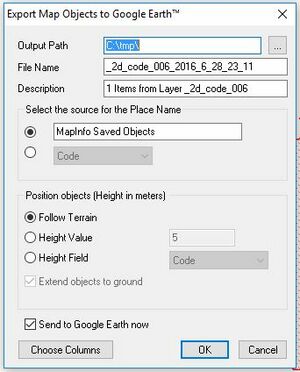
- Select "Export selected objects (KML)"
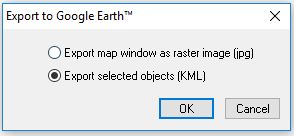
- Set the export options to the folder location and filename you desire.
Up  Back to Google Earth Tips
Up Back to MapInfo Tips


