Tutorial M06 001 Results QGIS: Difference between revisions
Jump to navigation
Jump to search
Content deleted Content added
| Line 21: | Line 21: | ||
<li>Open the TUFLOW Viewer. |
<li>Open the TUFLOW Viewer. |
||
<li>Select File > Load Results. Navigate to the '''M06_5m_001.tcf''' in the '''Module_06\TUFLOW\runs''' folder and open it. |
<li>Select File > Load Results. Navigate to the '''M06_5m_001.tcf''' in the '''Module_06\TUFLOW\runs''' folder and open it. |
||
| ⚫ | |||
| ⚫ | |||
| ⚫ | |||
| ⚫ | |||
<li>Three additional output types appear in the Result Type panel: |
<li>Three additional output types appear in the Result Type panel: |
||
*RF Cumulative: the cumulative rainfall in mm over time. |
*RF Cumulative: the cumulative rainfall in mm over time. |
||
| Line 26: | Line 30: | ||
*Manning n: the Manning n values over time.<br> |
*Manning n: the Manning n values over time.<br> |
||
These outputs are inclusive of any boundary adjustments (made in the bc_dbase) and rainfall losses (applied in the materials file). |
These outputs are inclusive of any boundary adjustments (made in the bc_dbase) and rainfall losses (applied in the materials file). |
||
| ⚫ | |||
| ⚫ | |||
| ⚫ | |||
| ⚫ | |||
| ⚫ | |||
| ⚫ | |||
<br> |
<br> |
||
[[File:Animation_M06_Results_001_01c.gif]]<br> |
[[File:Animation_M06_Results_001_01c.gif]]<br> |
||
Revision as of 15:25, 12 April 2023
Introduction
QGIS is used to view the cumulative rainfall and rainfall rate with the TUFLOW Viewer. For viewing of the 2D map results, see Module 1.
TUFLOW Project Re-Configuration
Re-configure the TUFLOW project to use and save empty files to the correct folder:
- Go to Plugins > TUFLOW > Editing > Configure / Create TUFLOW Project.
- Change the folder which contains TUFLOW to the Module_06 folder. This is the only change required, the model folder structure and template empty files are supplied from previous model.
Note: The 'results' and 'check' folder get automatically created when the TUFLOW model is run.
- Click 'OK' and save the QGIS workspace by selecting Project > Save As.
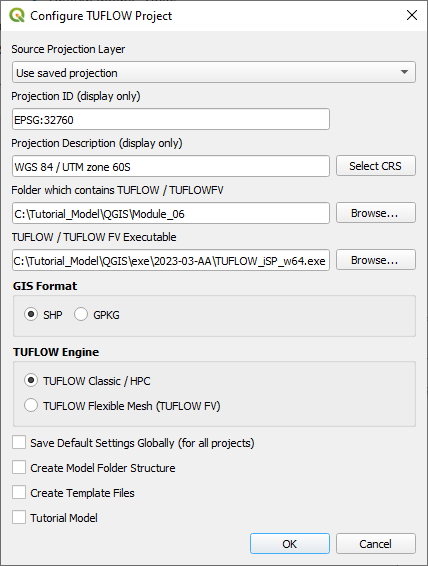
- Set the QGIS workspace projection to EPSG:32760, see Set the Projection.

Method
Inspect cumulative rainfall and rainfall rate outputs:
- Open the TUFLOW Viewer.
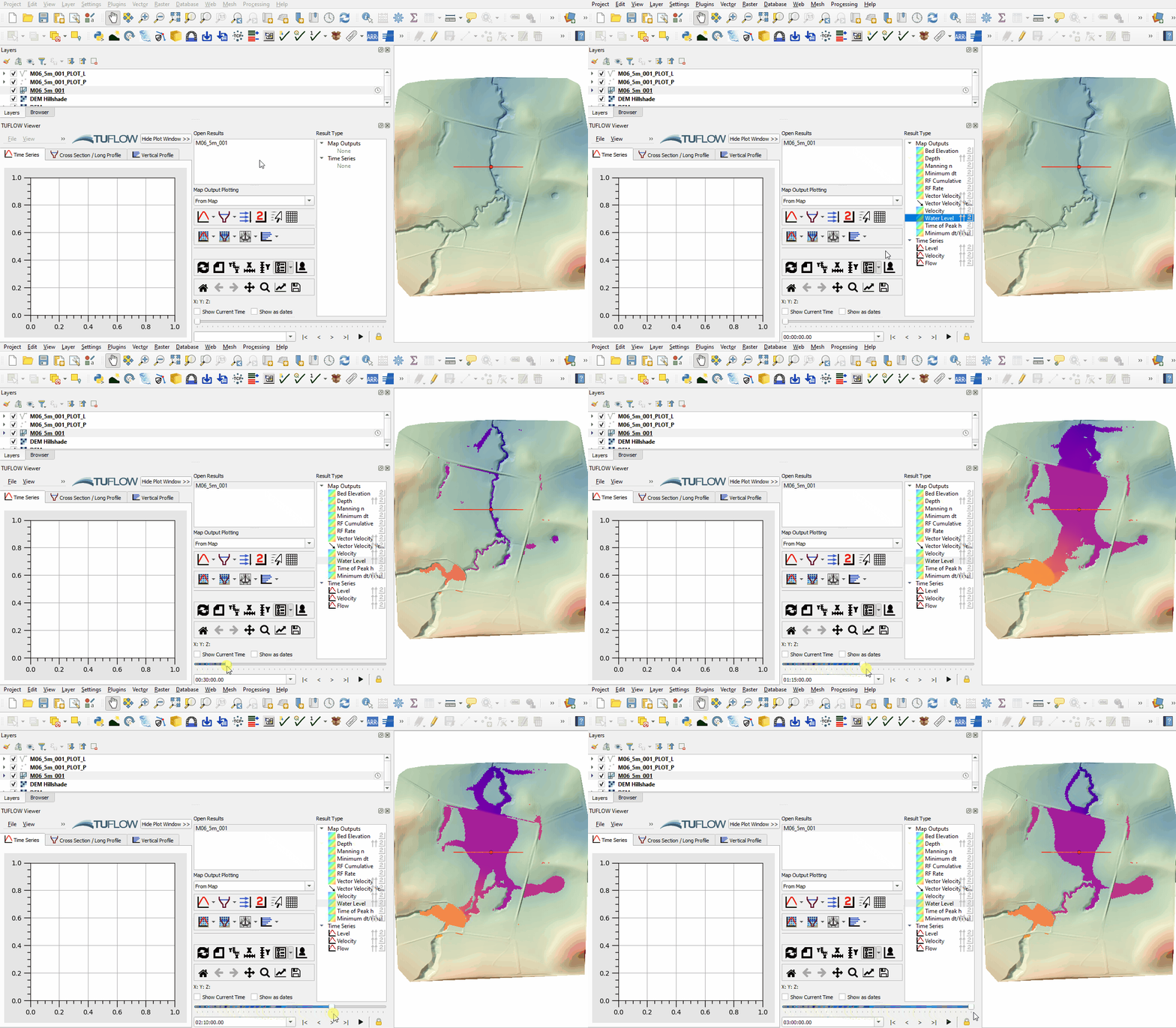
- Select File > Load Results. Navigate to the M06_5m_001.tcf in the Module_06\TUFLOW\runs folder and open it.
- Select 'Water Level' under the Result type and scroll through output times to review flood extent from rain on grid model.
- Three additional output types appear in the Result Type panel:
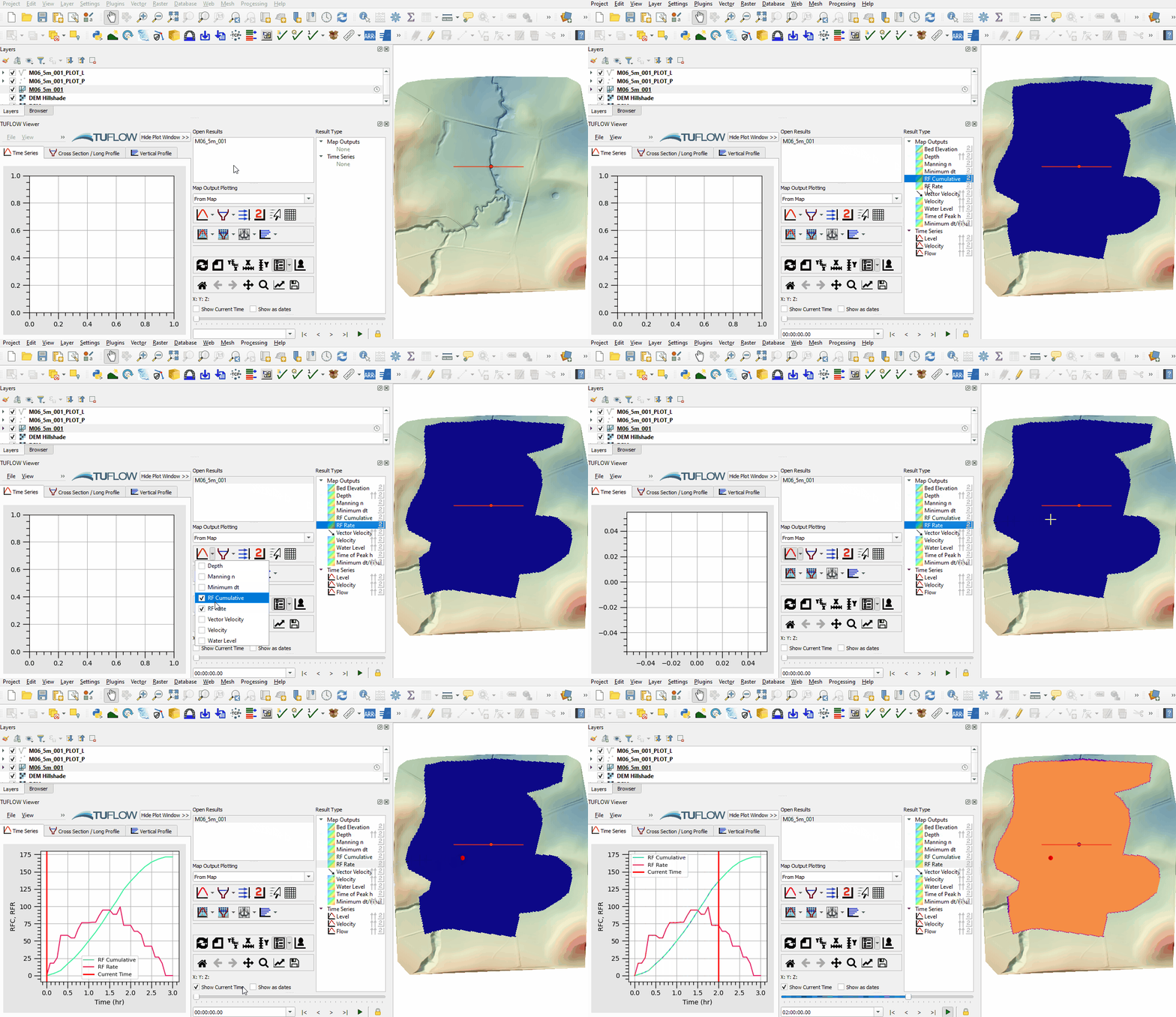
- RF Cumulative: the cumulative rainfall in mm over time.
- RF Rate: the rainfall rate in mm/hr over time.
- Manning n: the Manning n values over time.
- Use the Plot Time Series tool to see the time series of the cumulative rainfall and rainfall rate at a point:
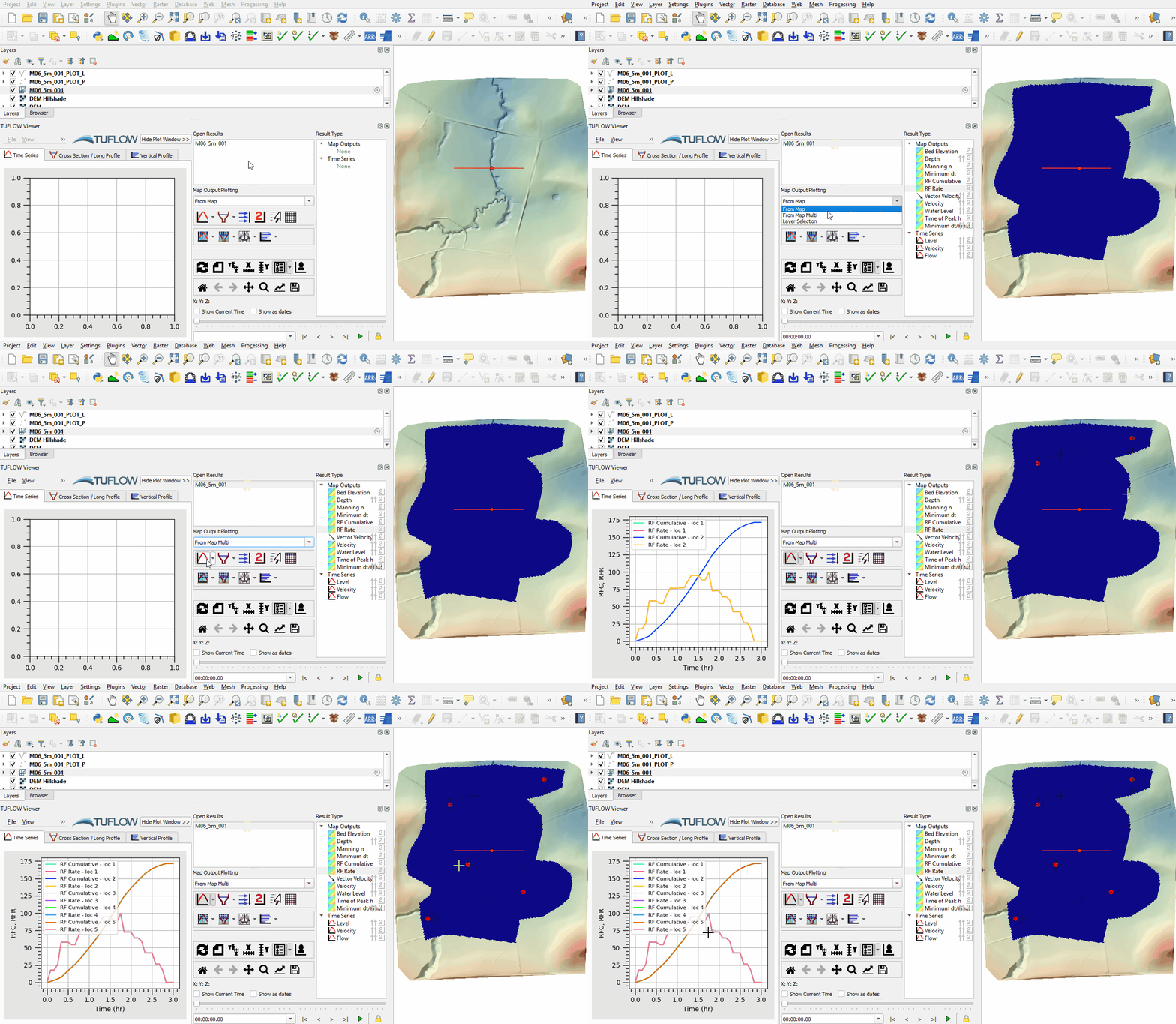
- Add multiple points across the grid. Notice they all have an equal cumulative rainfall and rainfall rate applied.
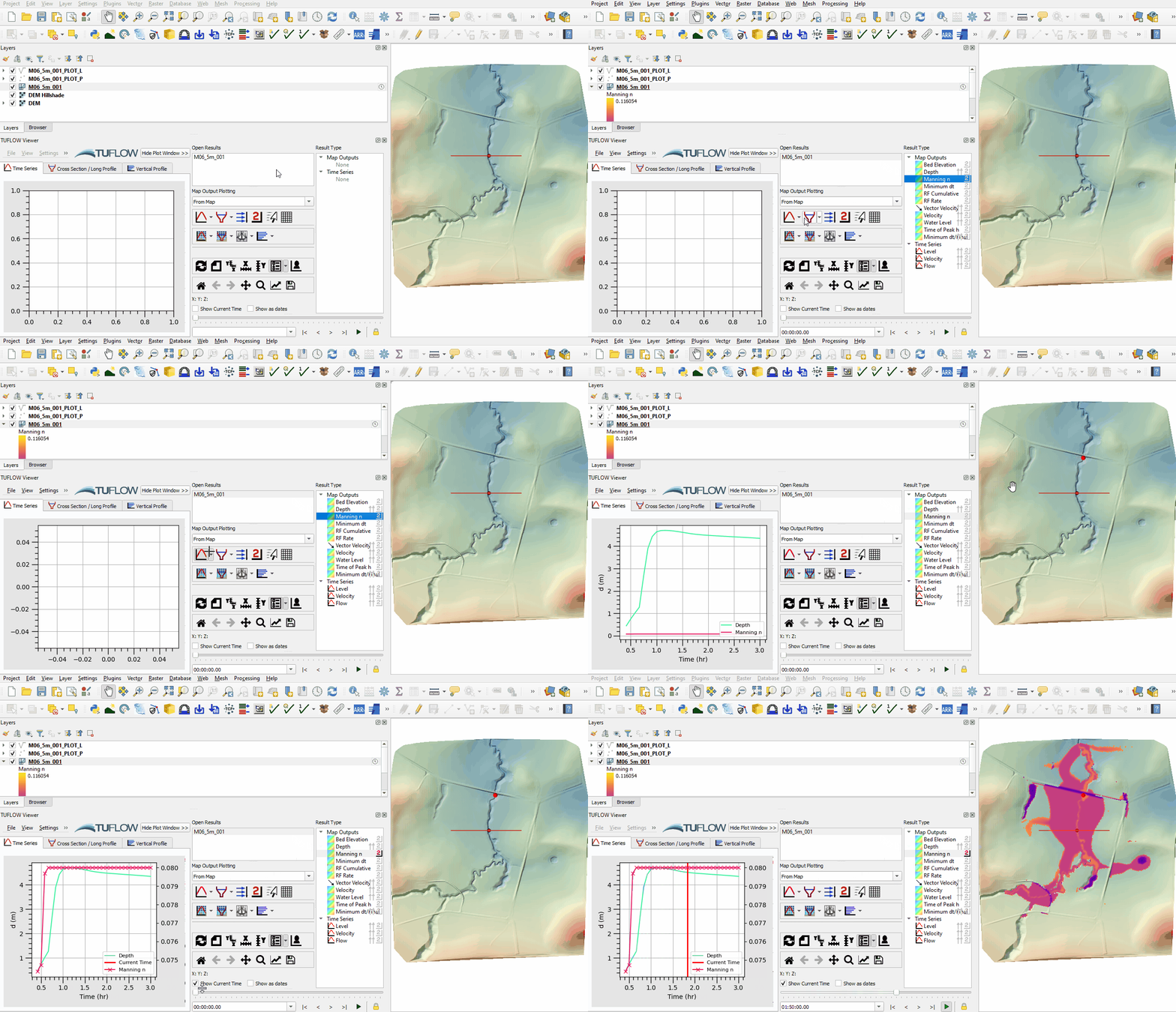
- Use the Plot Time Series tool to see the time series of the depth and manning's n at a point and turn on the 'Manning n' map output from the Results Type to see the manning's n value change with depth:


Conclusion
- The cumulative rainfall and rainfall rate derived from global rainfall were inspected at a point.
- The manning's n value was inspected as it varied in relation to depth.
| Up |
|---|
 Back to Module 6 Main Page Back to Module 6 Main Page
|