Tutorial M10 001 Check Files QGIS: Difference between revisions
Jump to navigation
Jump to search
Content deleted Content added
Created page with "= Introduction = QGIS is used to import the check files and review the dam break.<br> <br> = Method = This tutorial introduces: :* _DEM_Z.flt :*C..." |
(No difference)
|
Revision as of 00:38, 11 May 2022
Introduction
QGIS is used to import the check files and review the dam break.
Method
This tutorial introduces:
Review the check files:
- Open the following files from the Module_10\TUFLOW\check folder:
- M10_5m_001_DEM_Z.flt
- M10_5m_001_zsh_zpt_check_P.shp
- M10_5m_001_vzsh_zpt_check_P.shp
- M10_5m_001_sh_obj_check_R.shp
- M10_5m_001_grd_check_R.shp
- Use the 'Apply TUFLOW Styles to Open Layers'.
- The DEM_Z grid shows the final elevations (at time 0) used for the model calculations. The elevation changes due to the dambreak are inspected in the Results section.
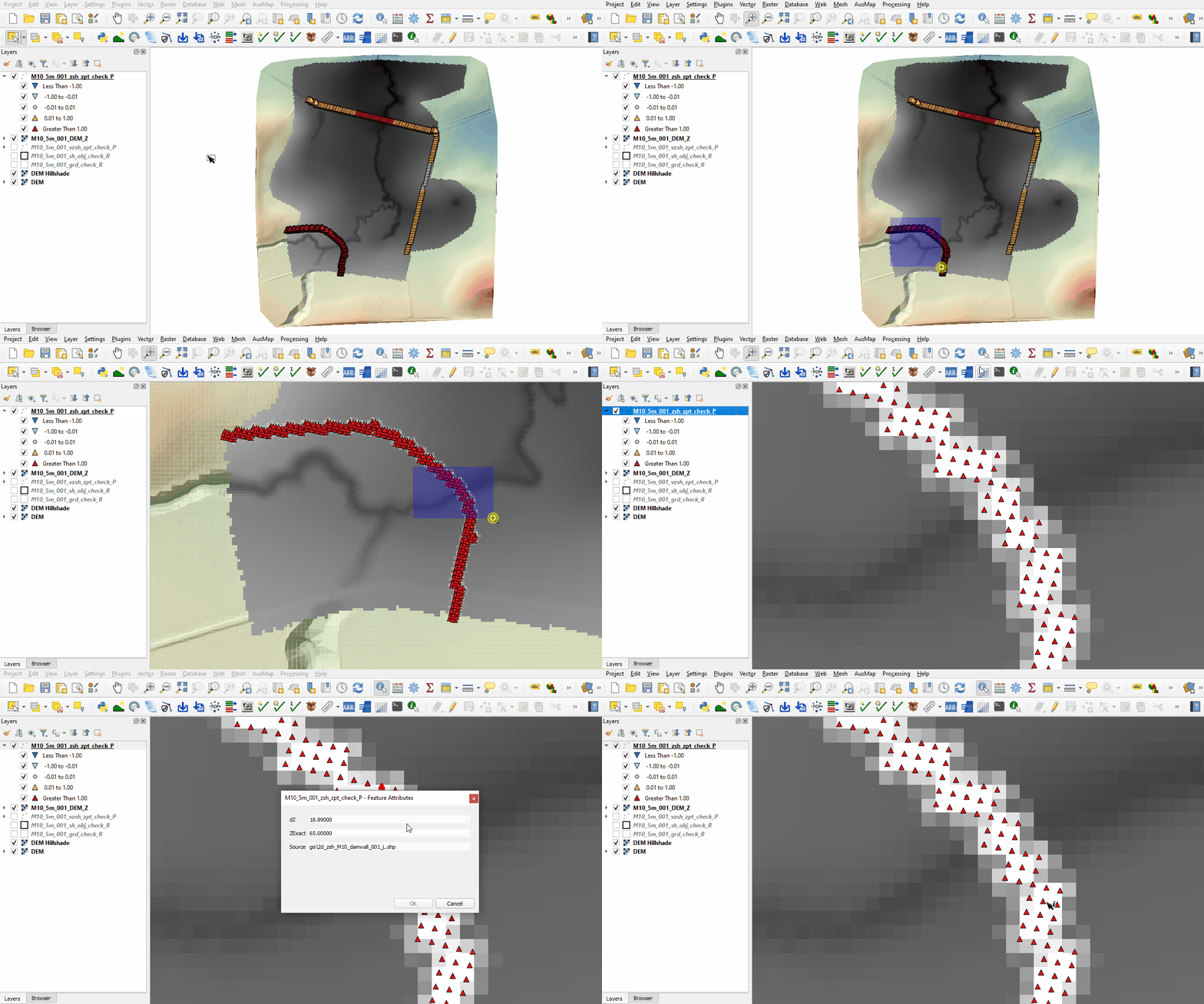
- The zsh_zpt_check file contains the Zpts modified by the 2d_zsh layers with updated elevation, change in elevation and source layer. The Shape_Width attribute is specified the same as the cell size, a thick breakline is used with entire cells being modified. The TUFLOW style colour codes the symbols based on the amount raised, or lowered.
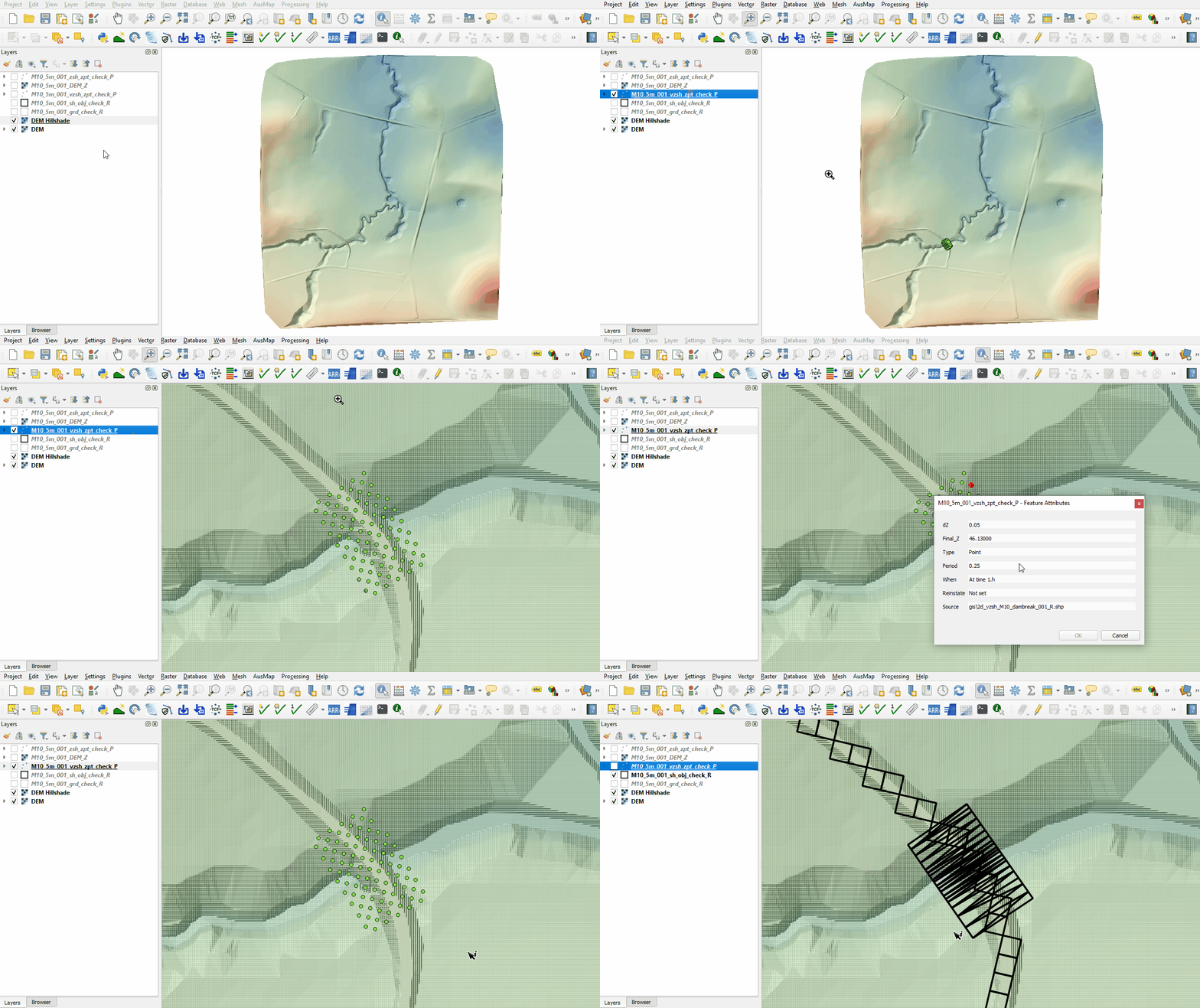
- The vzsh_zpt_check file contains information on the elevation points that change over time, elevation change, final elevation and trigger conditions.
- The sh_obj_check file displays the TIN triangles created by TUFLOW during the model initialisation and is useful to review for all merge polygons.
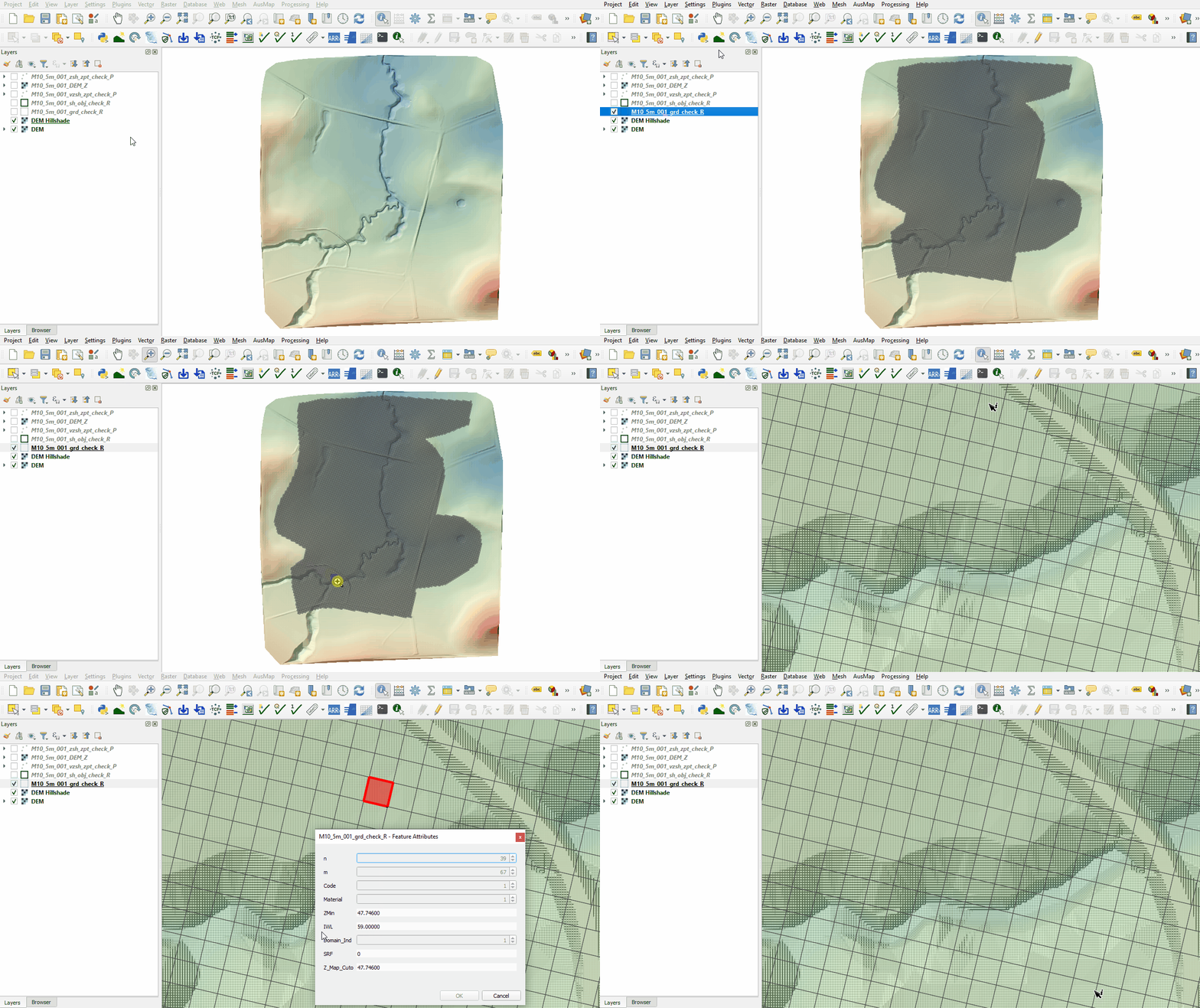
- The grd_check is the 2D grid defined by the 2d_code layer and contains a region object for each cell with attributes, e.g. the IWL.


Conclusion
- The topographic modifications representing the dam wall, dam break and initial water level were inspected.
| Up |
|---|
 Back to Module 10 Main Page Back to Module 10 Main Page
|