WIBU Cloud Licence Import: Difference between revisions
Jump to navigation
Jump to search
Content deleted Content added
Chris Huxley (talk | contribs) No edit summary |
Chris Huxley (talk | contribs) |
||
| (4 intermediate revisions by the same user not shown) | |||
| Line 1: | Line 1: | ||
=Introduction= |
=Introduction= |
||
This page contains instructions for configuring a computer to access a TUFLOW cloud licence. This requires that you have: |
This page contains instructions for configuring a computer to access a TUFLOW cloud licence. This requires that you have: |
||
* CodeMeter Runtime kit installed on the machine, see <u>[[ |
* CodeMeter Runtime kit installed on the machine, see <u>[[Installing_Wibu_CodeMeter_Windows| Install Licencing Dongle Drivers (CodeMeter RunTime Kit)]]</u> on your computer. |
||
* Have been provided with a cloud license file. It will have a '.wbc' file extension. If you do not have this file, please contact [mailto:sales@tuflow.com sales@tuflow.com].<br> |
* Have been provided with a cloud license file. It will have a '.wbc' file extension. If you do not have this file, please contact [mailto:sales@tuflow.com sales@tuflow.com].<br> |
||
| Line 9: | Line 9: | ||
[[File:CodeMeter_Start.png]]<br> |
[[File:CodeMeter_Start.png]]<br> |
||
<br> |
<br> |
||
<li>Drag and drop the provided *.wbc cloud license file from TUFLOW Sales onto the Codemeter Control Centre as shown in the below video: |
<li>Drag and drop the provided *.wbc cloud license file from TUFLOW Sales onto the Codemeter Control Centre as shown in the below video (unzip the file first if it has been provided within a zip file): |
||
{{Video|name=Cloud_License_Update.mp4|width=1000}} |
{{Video|name=Cloud_License_Update.mp4|width=1000}} |
||
<br> |
<br> |
||
| Line 18: | Line 18: | ||
<ol> |
<ol> |
||
* <u>[[WIBU_Configure_Network_Server| Configure Network Server]]</u> |
* <u>[[WIBU_Configure_Network_Server| Configure Network Server]]</u> |
||
*<u>[[ |
*<u>[[WIBU_Configure_Network_Client| Configure Network Client]]</u> |
||
</ol> |
</ol> |
||
</ol> |
</ol> |
||
| Line 56: | Line 56: | ||
</ul> |
</ul> |
||
<li>To verify basic access, on the computer where you have installed the licence, use any type of web client like a normal browser to visit https://wibu.cloud/59492. You should see an error message reporting an ‘HTTP Error 405’ or something very similar, depending on your browser. The 405 error is an indication that the server is up and reachable, but the HTTP method used in the request is not supported for the requested resource - in this case, the specific error message serves to show that things are working as expected.</li> |
<li>To verify basic access, on the computer where you have installed the licence, use any type of web client like a normal browser to visit https://wibu.cloud/59492. You should see an error message reporting an ‘HTTP Error 405’ or something very similar, depending on your browser. The 405 error is an indication that the server is up and reachable, but the HTTP method used in the request is not supported for the requested resource - in this case, the specific error message serves to show that things are working as expected.</li> |
||
<li>If your cloud licence is a TUFLOW Network Cloud Server licence (instead of a TUFLOW Network Cloud Direct licence), you will need to make sure the server can be reached from computer running TUFLOW. |
<li>If your cloud licence is a TUFLOW Network Cloud Server licence (instead of a TUFLOW Network Cloud Direct licence), you will need to make sure the server can be reached from computer running TUFLOW. See <u>[[WIBU_Configure_Network_Client#Troubleshooting | WIBU Network Troubleshooting]]</u> for Windows, or if your server is running Linux, see <u>[[Installing Wibu CodeMeter Linux | Installing Wibu CodeMeter Linux]]</u> |
||
</li> |
</li> |
||
</ul> |
</ul> |
||
<br> |
<br> |
||
{{Tips Navigation |
|||
|uplink=[[Wibu_Dongles| Return to WIBU Licensing Main Page]] |
|||
}} |
|||
Latest revision as of 20:10, 30 April 2025
Introduction
This page contains instructions for configuring a computer to access a TUFLOW cloud licence. This requires that you have:
- CodeMeter Runtime kit installed on the machine, see Install Licencing Dongle Drivers (CodeMeter RunTime Kit) on your computer.
- Have been provided with a cloud license file. It will have a '.wbc' file extension. If you do not have this file, please contact sales@tuflow.com.
Method
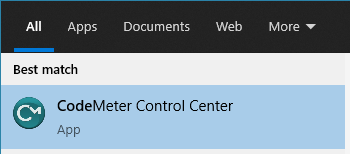
- Open the CodeMeter Control Center via the start menu:
- Drag and drop the provided *.wbc cloud license file from TUFLOW Sales onto the Codemeter Control Centre as shown in the below video (unzip the file first if it has been provided within a zip file):
- The machine should now be configured to access the cloud TUFLOW license.
- If this is a Cloud Direct licence, the connection can be checked by double clicking on a TUFLOW executable on the machine.
- If this is Cloud Server licence, further configuration is required. See:

Troubleshooting
- My web licence is not picked up by TUFLOW
- After installing the licence as shown in the recording above, ensure that the 'Status' is 'Connected' and that there are no error messages reported.
- Ensure your licence was added successfully to CodeMeter on the computer you added the licence on:
- You can check this in a web browser by visiting http://localhost:22352/container.html on that computer, which should show your licence number with 'CmCloud'.
- You can also check from the command line, by running:
- Powershell: `& 'C:\Program Files\CodeMeter\Runtime\bin\cmu.exe' --list-content`
- Command Prompt: `"C:\Program Files\CodeMeter\Runtime\bin\cmu.exe" --list-content`
- Linux shell: `cmu --list-content`
- Or you can generate a `CmDust-Result.log` file by starting the CmDust utility that is installed along with the CodeMeter Runtime. If you decide to contact TUFLOW Support with your web licence issue, it will help us if you generate and include this file.
- After adding the licence to CodeMeter, the 'Status' is 'Disconnected' and on the 'Events' tab I see error messages that read
"Error code 60: SSL certificate problem: self-signed certificate in certificate chain." CodeMeter web licences are secured with a certificate from Wibu, the supplier of Codemeter. Their certificate is not self-signed but signed by GlobalSign. This is a common certificate authority (CA), and as a root CA, their certificate is 'self-signed', which is what the error message is referring to.
This error occurs when your computer that has the web licence installed cannot check the validity of this certificate. There are several reasons this can happen:- The computer itself may be unable to reach wibu.cloud
- A computer elsewhere in your infrastructure, part of a proxy provider service for example, may be unable to reach wibu.cloud
- Whatever the cause of a 'Status' of 'Disconnected' in the CodeMeter License Central, you will likely need your IT staff to ensure that the relevant computers can resolve the `wibu.cloud` name and are allowed to access the address, so that they can retrieve and validate the certificate.
Check the following:- Firewall settings on the machine that has CodeMeter and the licence installed; CodeMeter needs to access wibu.cloud over https and does so over port 443.
- DNS issues: CodeMeter needs to resolve `wibu.cloud` into an IP number (e.g. ` 213.221.108.10`), and security software or network proxy services your organisation uses may prevent that from happening.
- Routing issues: CodeMeter needs to contact the computer at the resolved IP number over the internet, and security software or network proxy services your organisation uses may prevent that from happening.
- Routing issues with SSL verification: CodeMeter will try to check the https SSL certificate with the CA, and security software or network proxy services your organisation uses may prevent that from happening.
- To verify basic access, on the computer where you have installed the licence, use any type of web client like a normal browser to visit https://wibu.cloud/59492. You should see an error message reporting an ‘HTTP Error 405’ or something very similar, depending on your browser. The 405 error is an indication that the server is up and reachable, but the HTTP method used in the request is not supported for the requested resource - in this case, the specific error message serves to show that things are working as expected.
- If your cloud licence is a TUFLOW Network Cloud Server licence (instead of a TUFLOW Network Cloud Direct licence), you will need to make sure the server can be reached from computer running TUFLOW. See WIBU Network Troubleshooting for Windows, or if your server is running Linux, see Installing Wibu CodeMeter Linux