Tutorial M11 002 Check Files QGIS GPKG: Difference between revisions
Jump to navigation
Jump to search
Content deleted Content added
Created page with "<span style="color:#FF0000"> <font size = 18>Page Under Construction</font> </span> = Introduction = QGIS is used to import the check files and review the model.<br> <br> = M..." |
|||
| Line 14: | Line 14: | ||
Review the check files: <br> |
Review the check files: <br> |
||
<ol> |
<ol> |
||
<li>Open the |
<li>Open the files, either: |
||
:*Within the QGIS Browser Panel, navigate to '''Module_11\TUFLOW\check\M11_5m_002_Check.gpkg''' and double click the following layers, or |
|||
:*'''M11_5m_002_grd_check_R |
::*'''M11_5m_002_grd_check_R''' |
||
:*'''M11_5m_002_1d_to_2d_check_R.shp''' |
|||
:*''' |
::*'''M11_5m_002_1d_to_2d_check_R''' |
||
::*'''M11_5m_002_nwk_C_check_L''' |
|||
:*In File Explorer, navigate to the '''Module_11\TUFLOW\check''' folder, drag and drop the '''M11_5m_002_Check.gpkg''' into the QGIS workspace and select the layers above (hold Ctrl to select multiple). |
|||
<li>Use the 'Apply TUFLOW Styles to Open Layers'. |
<li>Use the 'Apply TUFLOW Styles to Open Layers'. |
||
<li>Use the 'Apply GPKG Layer Names'. |
|||
<li>The 2d_grd_check file shows all active cells and confirms the 1D open channel is removed from the 2D domain including the 1D weir area at the downstream road. |
<li>The 2d_grd_check file shows all active cells and confirms the 1D open channel is removed from the 2D domain including the 1D weir area at the downstream road. |
||
<li>The 1d_to_2d_check file contains the cells that transfer the water between the 1D and 2D domain: <br> |
<li>The 1d_to_2d_check file contains the cells that transfer the water between the 1D and 2D domain: <br> |
||
Revision as of 13:32, 31 July 2023
Page Under Construction
Introduction
QGIS is used to import the check files and review the model.
Method
This tutorial introduces:
Review the check files:
- Open the files, either:
- Within the QGIS Browser Panel, navigate to Module_11\TUFLOW\check\M11_5m_002_Check.gpkg and double click the following layers, or
- M11_5m_002_grd_check_R
- M11_5m_002_1d_to_2d_check_R
- M11_5m_002_nwk_C_check_L
- In File Explorer, navigate to the Module_11\TUFLOW\check folder, drag and drop the M11_5m_002_Check.gpkg into the QGIS workspace and select the layers above (hold Ctrl to select multiple).
- Use the 'Apply TUFLOW Styles to Open Layers'.
- Use the 'Apply GPKG Layer Names'.
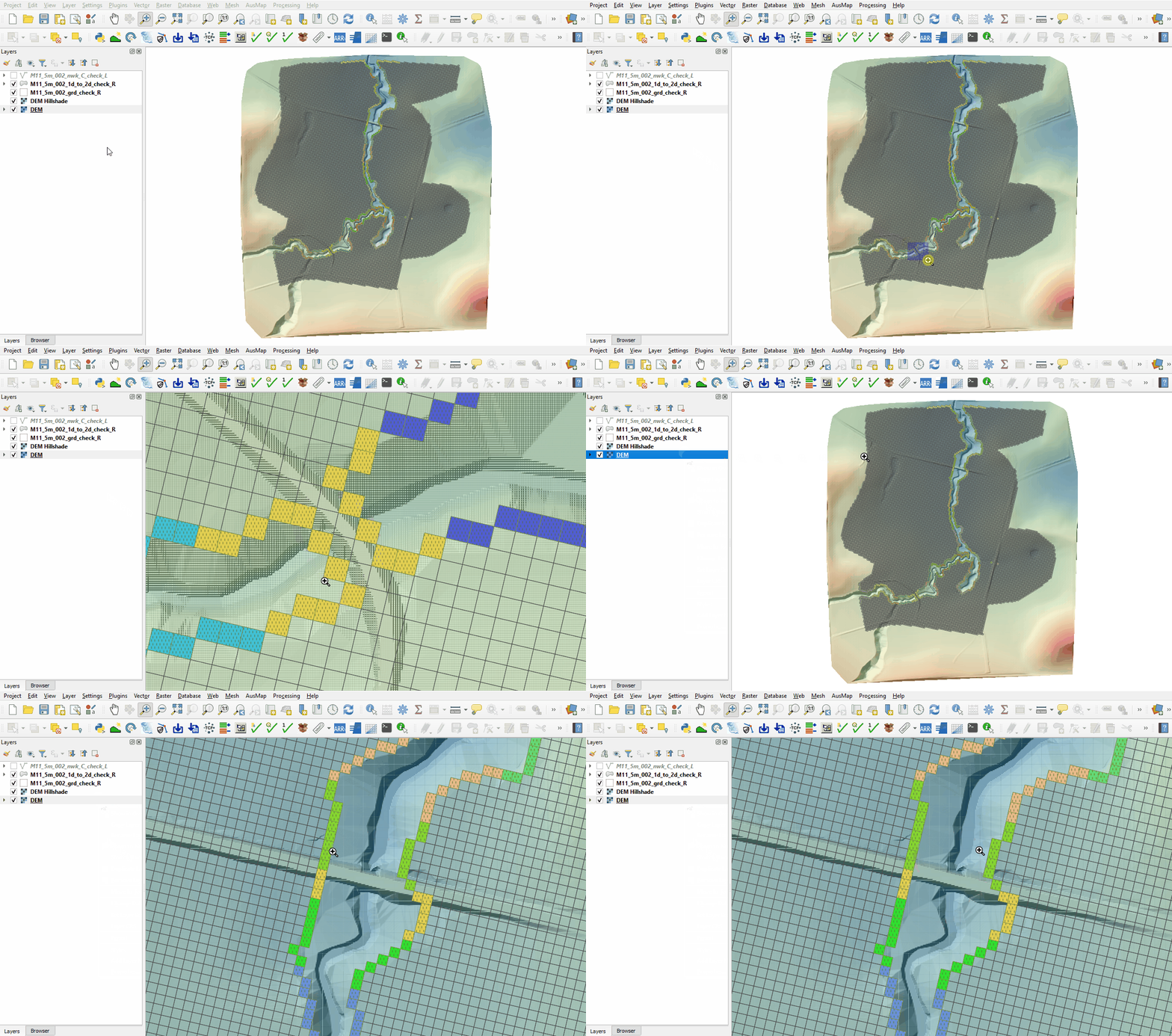
- The 2d_grd_check file shows all active cells and confirms the 1D open channel is removed from the 2D domain including the 1D weir area at the downstream road.
- The 1d_to_2d_check file contains the cells that transfer the water between the 1D and 2D domain:
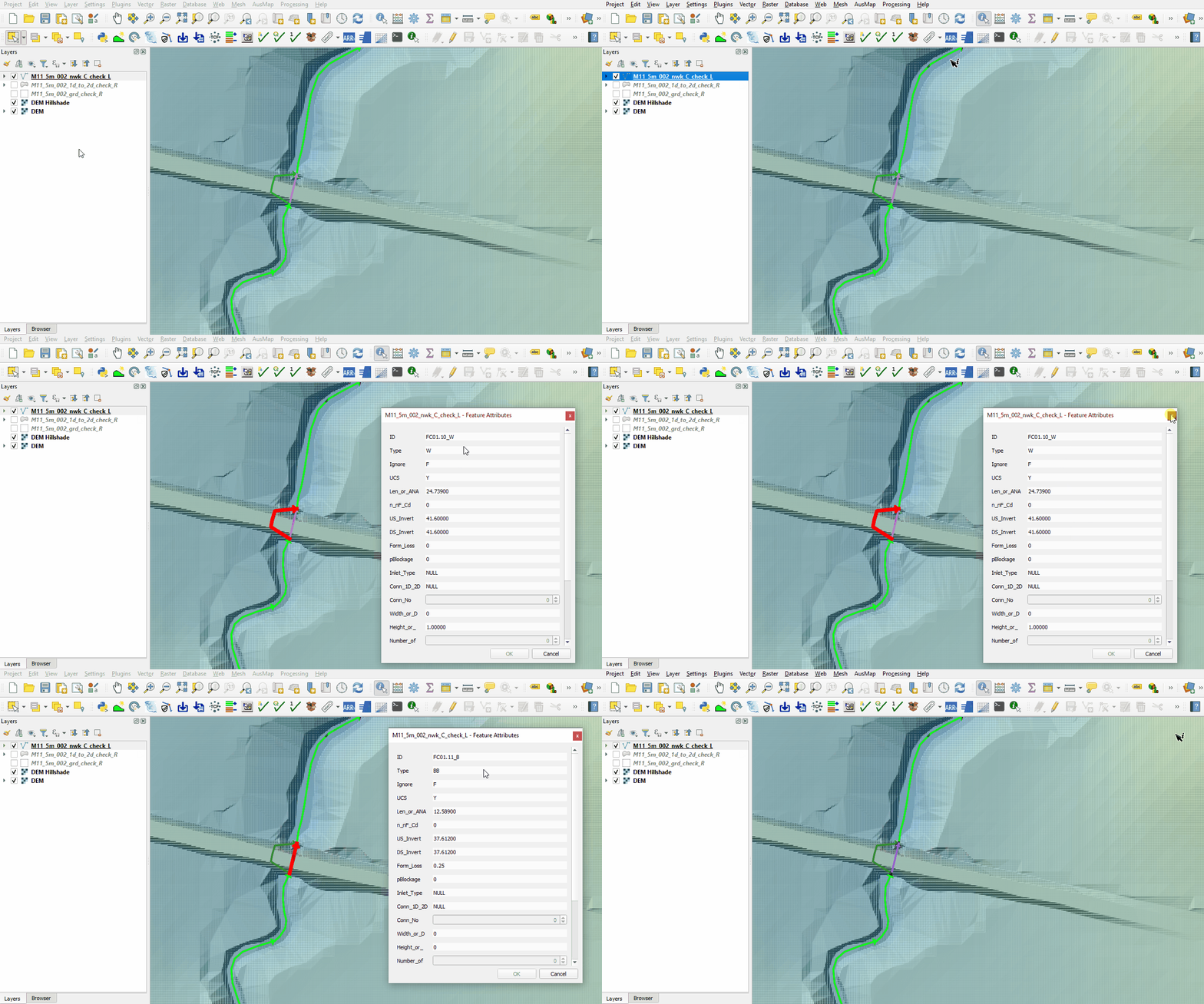
- The nwk_C_check file contains information on the 1D channels, bridges and weirs. Use the 'Identify Features' tool to inspect the attributes:


Conclusion
- The code layer was inspected to confirm the 1D weir location was deactivated from the 2D simulations.
- The cells connecting the 1D and 2D were reviewed.
- The 1D network layer was inspected, properties of the downstream bridge and weir reviewed.
| Up |
|---|
 Back to Module 11 Main Page Back to Module 11 Main Page
|