Tutorial M11 001 Check Files QGIS GPKG: Difference between revisions
Jump to navigation
Jump to search
Content deleted Content added
Created page with "<span style="color:#FF0000"> <font size = 18>Page Under Construction</font> </span> = Introduction = QGIS is used to import the check files and review the 1D open channel embe..." |
|||
| Line 17: | Line 17: | ||
Review the check files: <br> |
Review the check files: <br> |
||
<ol> |
<ol> |
||
<li>Open the |
<li>Open the files, either: |
||
:*Within the QGIS Browser Panel, navigate to '''Module_11\TUFLOW\check\M11_5m_001_Check.gpkg''' and double click the following layers, or |
|||
:*'''M11_5m_001_nwk_C_check_L.shp''' |
|||
:*''' |
::*'''M11_5m_001_nwk_C_check_L''' |
||
:*''' |
::*'''M11_5m_001_1d_bc_check_P''' |
||
::*'''M11_5m_001_grd_check_R''' |
|||
:*'''M11_5m_001_1d_to_2d_check_R.shp''' |
|||
:*''' |
::*'''M11_5m_001_1d_to_2d_check_R''' |
||
:*''' |
::*'''M11_5m_001_nwk_N_check_P''' |
||
::*'''M11_5m_001_zsh_zpt_check_P''' |
|||
:*In File Explorer, navigate to the '''Module_11\TUFLOW\check''' folder, drag and drop the '''M11_5m_001_Check.gpkg''' into the QGIS workspace and select the layers above (hold Ctrl to select multiple). |
|||
<li>Use the 'Apply TUFLOW Styles to Open Layers'. |
<li>Use the 'Apply TUFLOW Styles to Open Layers'. |
||
<li>Use the 'Apply GPKG Layer Names'. |
|||
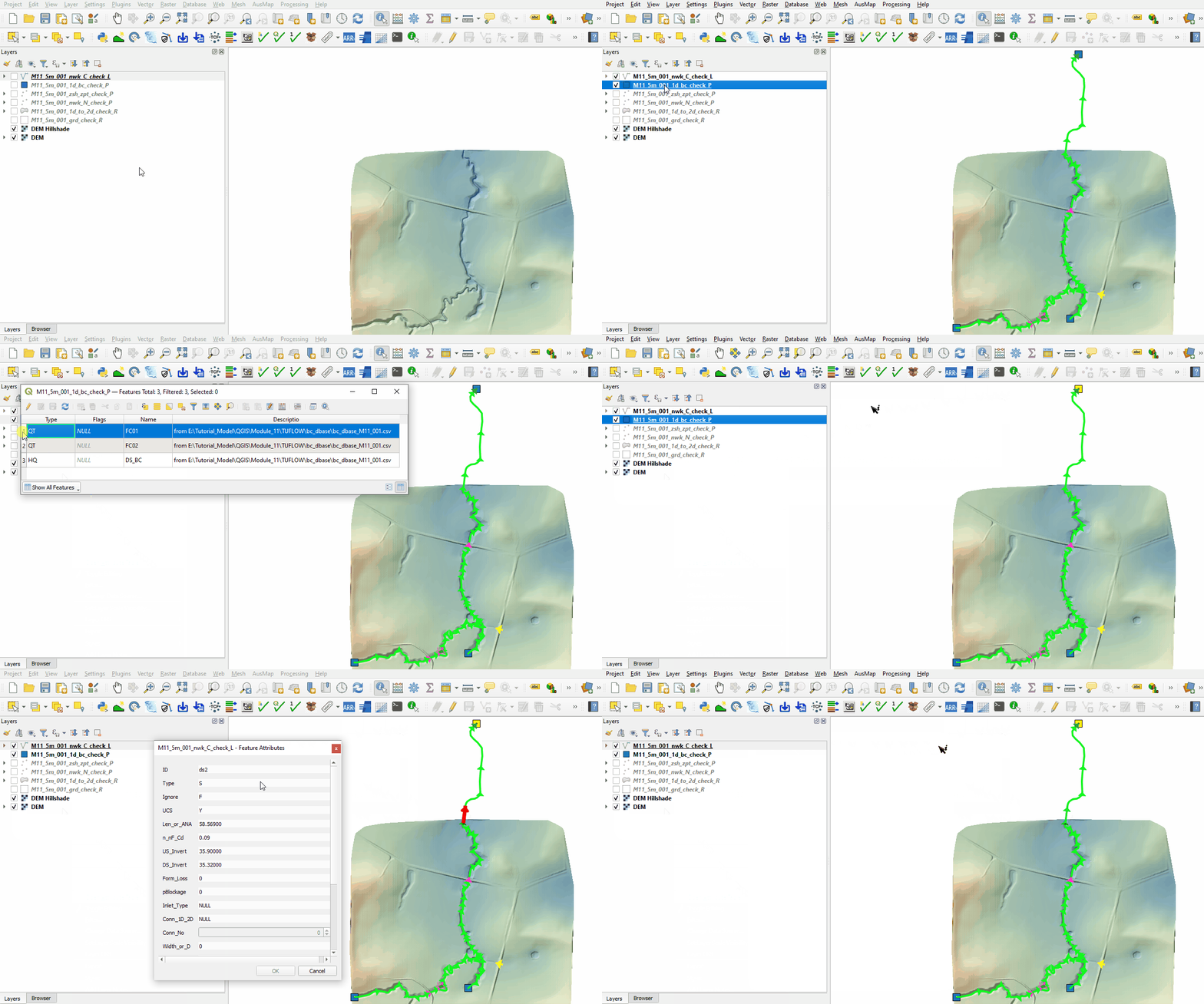
<li>The 1d_bc_check file contains the location of the 1D boundaries. The values for the 1D tabular boundary data (e.g. time-series) can be found in the '''_1d_bc_tables_check.csv''' file in the '''Module_11\TUFLOW\check''' folder. |
<li>The 1d_bc_check file contains the location of the 1D boundaries. The values for the 1D tabular boundary data (e.g. time-series) can be found in the '''_1d_bc_tables_check.csv''' file in the '''Module_11\TUFLOW\check''' folder. |
||
<li>The nwk_C_check file contains the channels of the 1D domain.<br> |
<li>The nwk_C_check file contains the channels of the 1D domain.<br> |
||
Revision as of 11:49, 31 July 2023
Page Under Construction
Introduction
QGIS is used to import the check files and review the 1D open channel embedded into the 2D domain.
Method
This tutorial introduces:
Review the check files:
- Open the files, either:
- Within the QGIS Browser Panel, navigate to Module_11\TUFLOW\check\M11_5m_001_Check.gpkg and double click the following layers, or
- M11_5m_001_nwk_C_check_L
- M11_5m_001_1d_bc_check_P
- M11_5m_001_grd_check_R
- M11_5m_001_1d_to_2d_check_R
- M11_5m_001_nwk_N_check_P
- M11_5m_001_zsh_zpt_check_P
- In File Explorer, navigate to the Module_11\TUFLOW\check folder, drag and drop the M11_5m_001_Check.gpkg into the QGIS workspace and select the layers above (hold Ctrl to select multiple).
- Use the 'Apply TUFLOW Styles to Open Layers'.
- Use the 'Apply GPKG Layer Names'.
- The 1d_bc_check file contains the location of the 1D boundaries. The values for the 1D tabular boundary data (e.g. time-series) can be found in the _1d_bc_tables_check.csv file in the Module_11\TUFLOW\check folder.
- The nwk_C_check file contains the channels of the 1D domain.
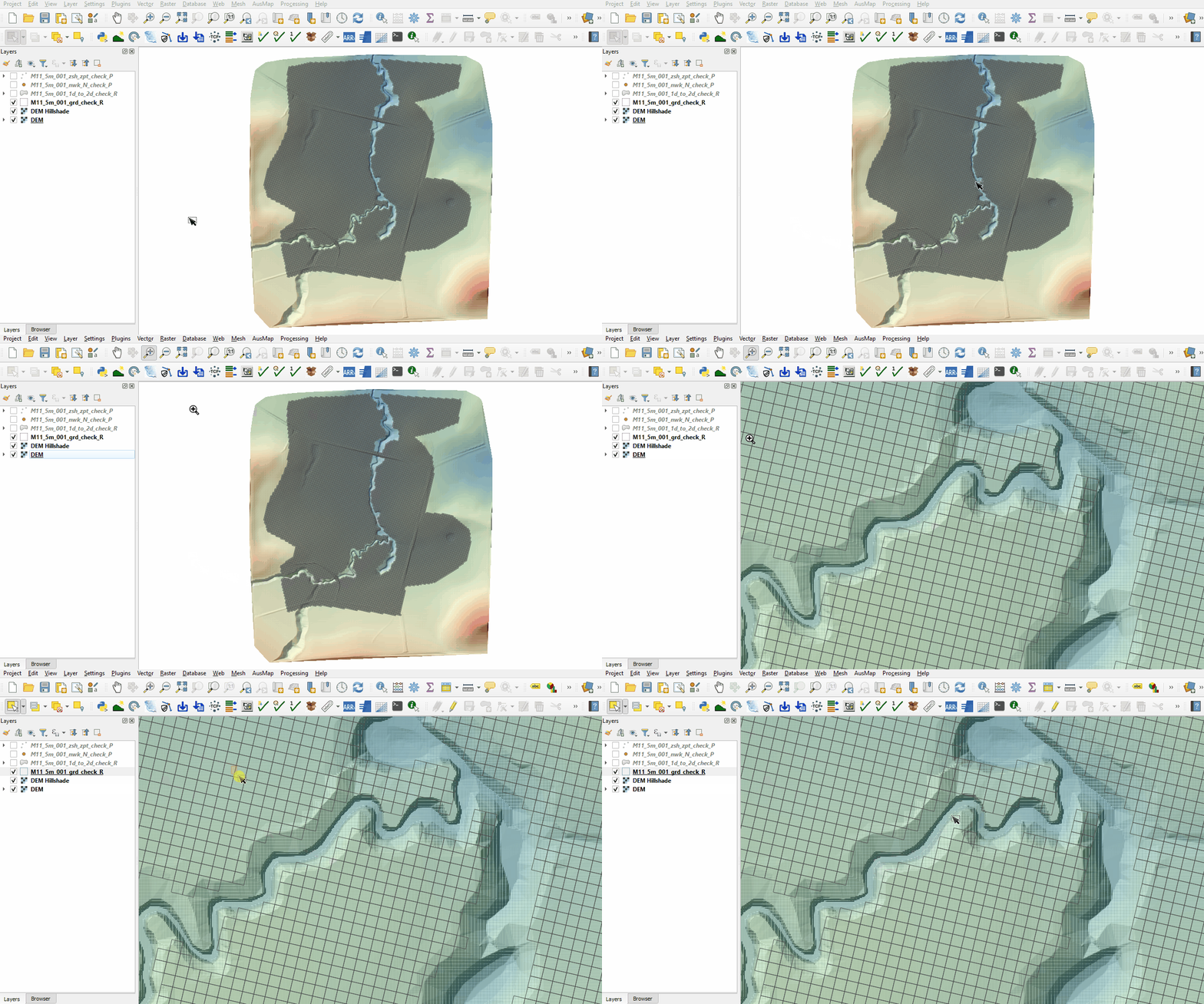
- The 2d_grd_check file shows all active cells and confirms the 1D open channel is removed from the 2D domain.
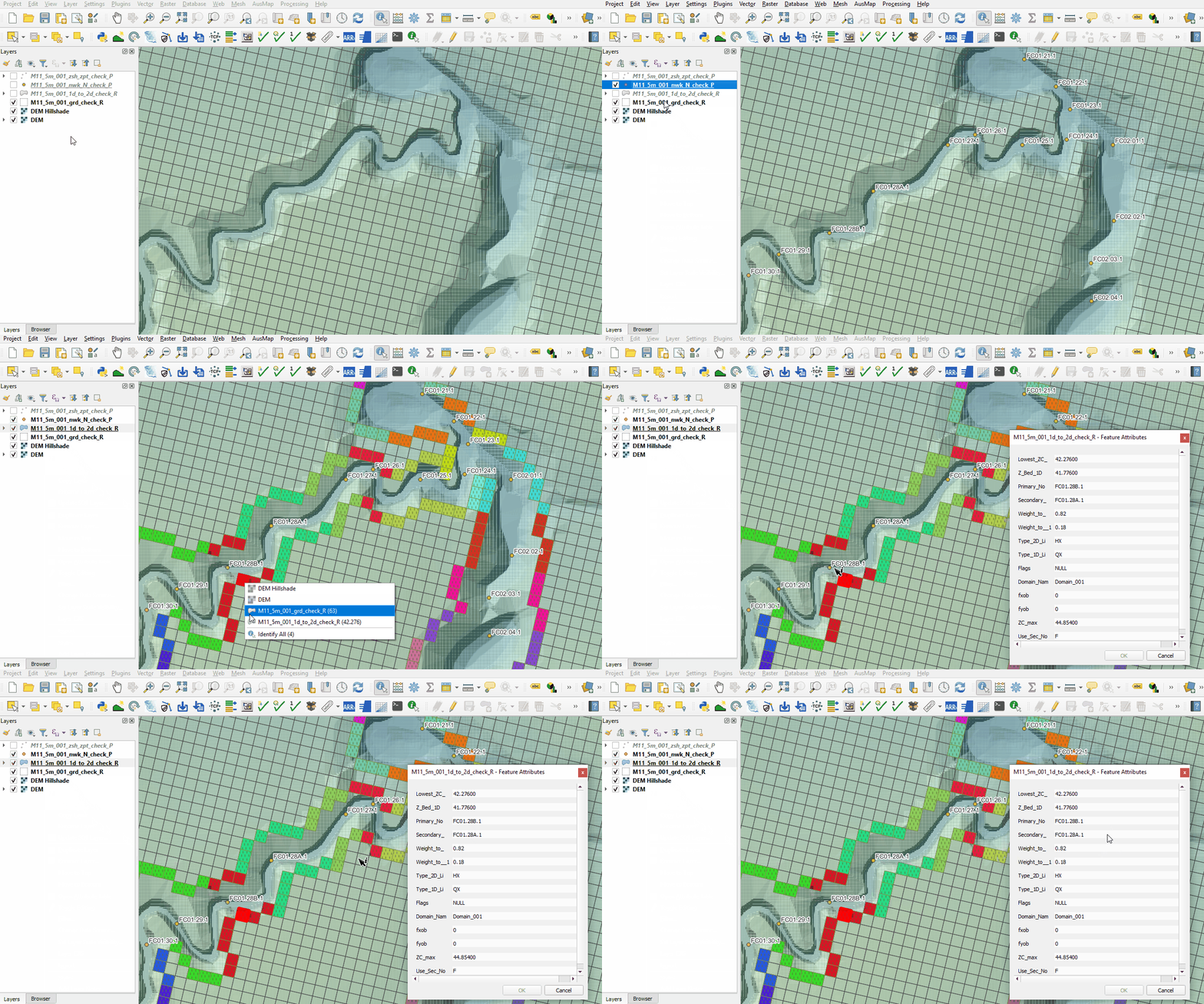
- The nwk_N_check file contains information on the 1D nodes. Turn on labelling.
- The 1d_to_2d_check file contains the cells that transfer the water between the 1D and 2D domain. It also shows the weighting given to each of these cells based on their distance to the upstream and downstream nodes. The cell shown below has a weighting of 82% to node FC01.28B.1 and 18% to node FC01.28A.1:
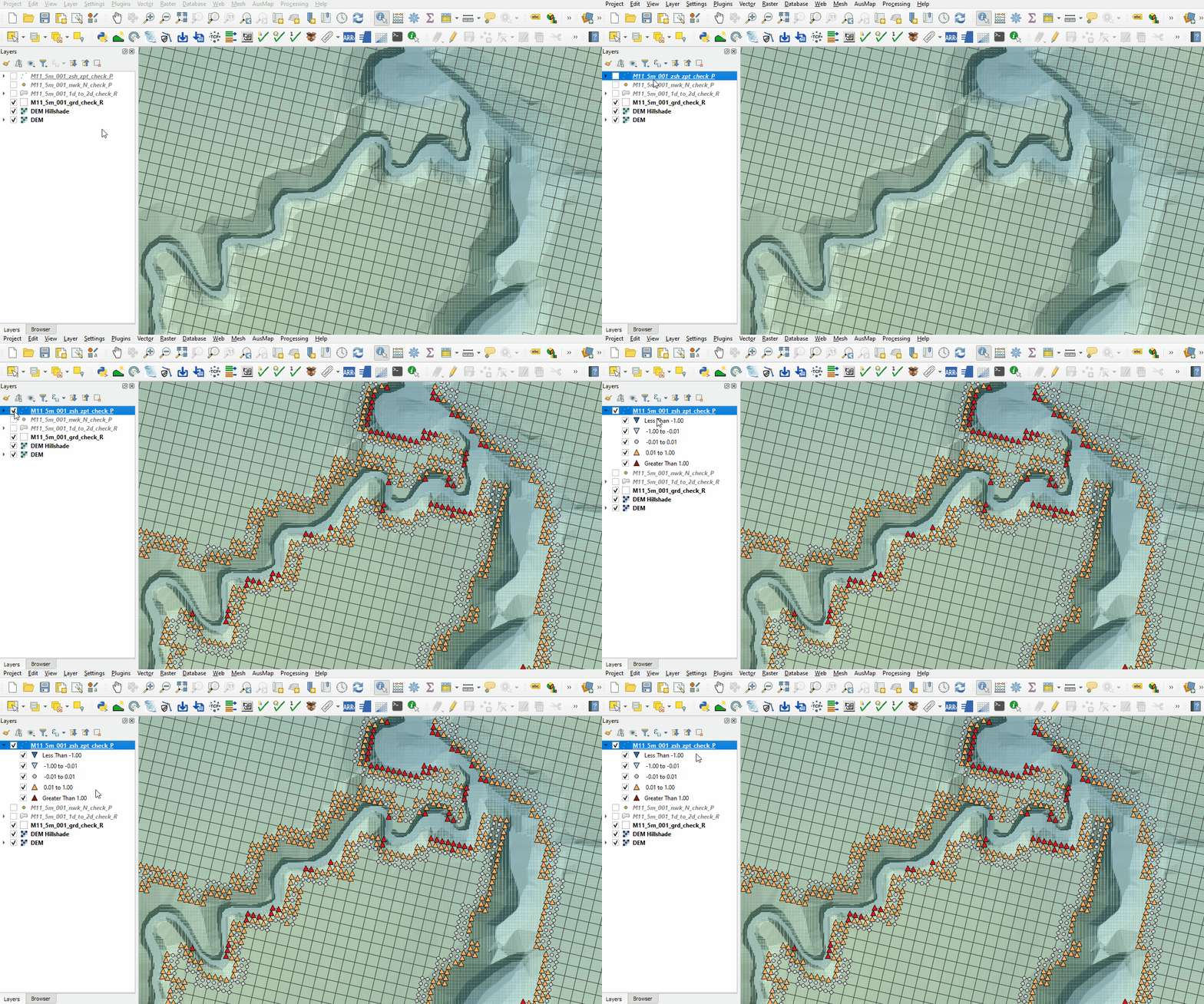
- The zsh_zpt_check file contains the Zpts modified by the 2d_zsh layers with updated elevation, change in elevation and source layer. The Shape_Width attribute is specified the same as the cell size, a thick breakline is used with entire cells being modified. The TUFLOW style colour codes the symbols based on the amount raised, or lowered.


Conclusion
- The 1d_bc_check layer inspected the 1D boundaries.
- The nwk_C_check reviewed the 1D channel and culverts attributes.
- The grd_check layer confirmed the 1D open channel was deactivated from the 2D simulation.
- The nwk_N_check points displayed the location of the 1D open channel nodes.
- The 1d_to_2d_check showed cells connecting the 1D and 2D domain.
- The zsh_zpt_check ensured the top of bank elevation was correctly modelled.
| Up |
|---|
 Back to Module 11 Main Page Back to Module 11 Main Page
|